نقل أسلوب تصميم واجهة المستخدم
تصميم واجهة المستخدم مثالي، لن تعاني بعد اليوم للحصول على أفكار!
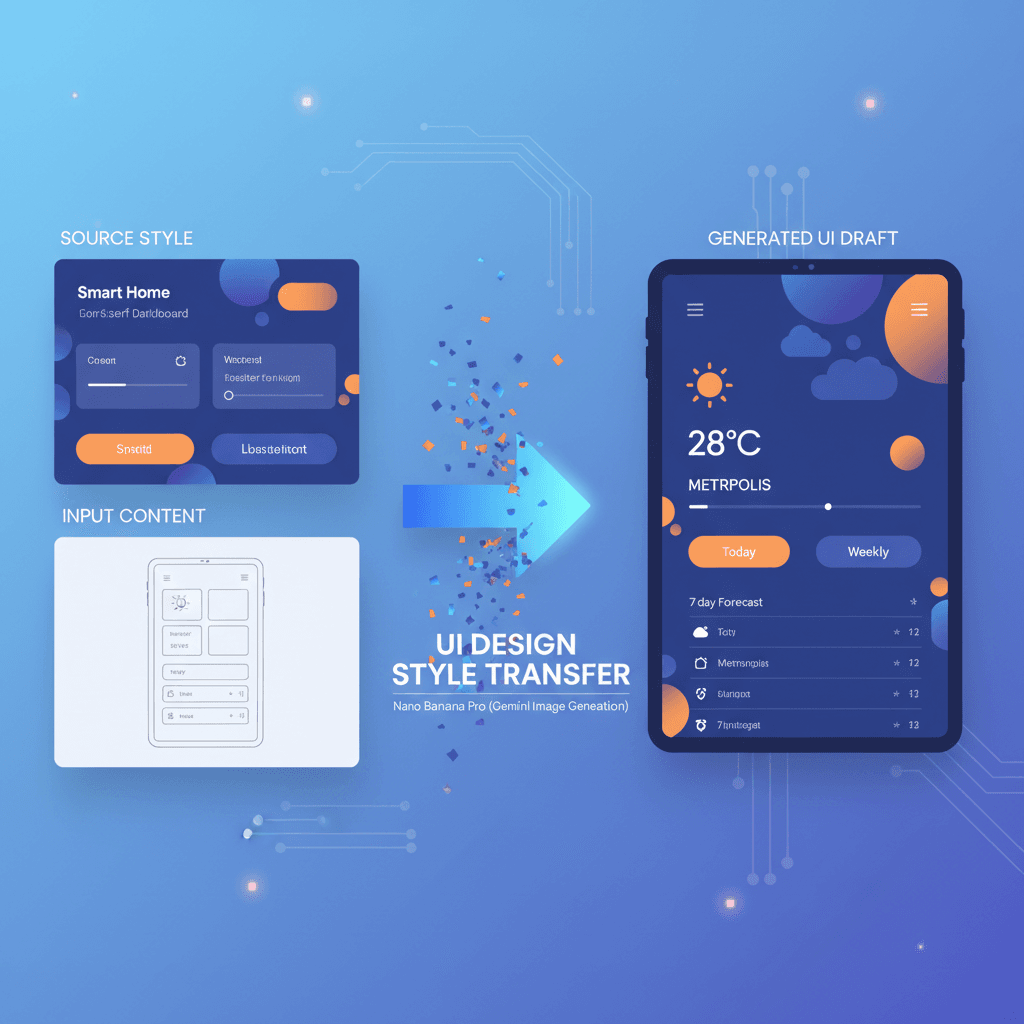
مثال مذهل لتصميم واجهة المستخدم تم إنشاؤه باستخدام Nano Banana Pro (توليد الصور جمنائي). نقل أسلوب تصميم واجهة المستخدم.
@ui
AI Art Creator
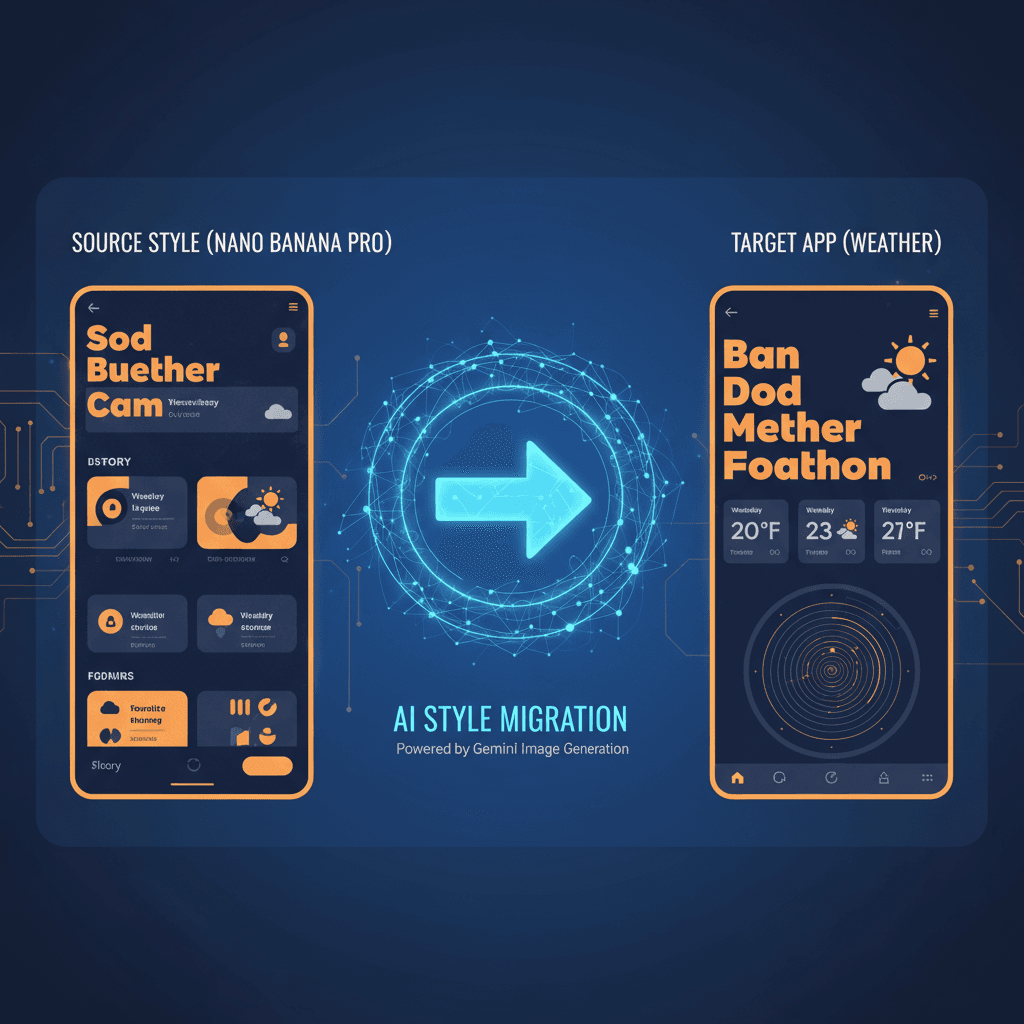
شاهدها أثناء العمل
اكتشف النتائج المذهلة التي يمكن أن ينشئها هذا الموجه المدعوم بالذكاء الاصطناعي
النتيجة المُولَّدة
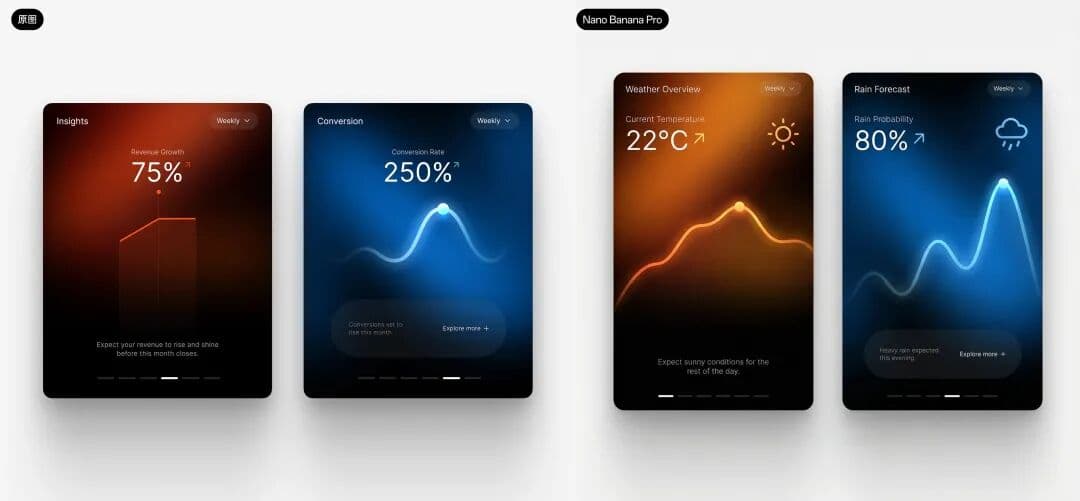
الموجه الكامل
انسخ الموجه أدناه والصقه في أداة الذكاء الاصطناعي المفضلة لديك لتبدأ بالإنشاء
قم بمحاكاة أسلوب هذا التصميم والعناصر الرئيسية، وساعدني في إنشاء تصميم واجهة مستخدم لتطبيق الطقس.
لماذا تستخدم هذه الأداة المعتمدة على الذكاء الاصطناعي؟
تعرّف كيف يساعدك هذا الموجه القوي في ابتكار أعمال فنية مذهلة
تعزيز الكفاءة
افتح **زيادة الكفاءة** في تصميم واجهة المستخدم باستخدام **أداة الذكاء الاصطناعي، نقل أسلوب تصميم واجهة المستخدم**. من خلال محاكاة الأنماط والعناصر الرئيسية الموجودة، فإنه يبسط عملية التصميم، مما يمكّن من إنشاء واجهات مذهلة بصريًا مثل تطبيق الطقس، مما يضمن للمصممين توفير الوقت وتعزيز الإبداع.
تعزيز الإبداع
تعمل أداة نقل أسلوب تصميم واجهة المستخدم على تعزيز الإبداع بشكل كبير من خلال تمكين المصممين من تبني وتكييف أنماط متنوعة من التصاميم الموجودة بسهولة. من خلال الاستفادة من قدرة الذكاء الاصطناعي على تكرار العناصر الجمالية، تلهم أفكار واجهة المستخدم الجديدة، وتحول الأفكار إلى نماذج بصرية مثيرة، وتسريع العملية الإبداعية في تطوير التطبيقات.
تنوّع القوالب
تتفوق أداة نقل أسلوب تصميم واجهة المستخدم في "تنوع القوالب" من خلال إنشاء تصميمات واجهة مستخدم لتطبيق الطقس متنوعة تحاكي الأنماط والعناصر الرئيسية الموجودة. تعزز هذه القابلية للتكيف الإبداع، مما يسمح للمصممين باستكشاف جمالية ووظائف متعددة، وبالتالي تعظيم إمكانيات التصميم والابتكار في المشاريع المدفوعة بالذكاء الاصطناعي.
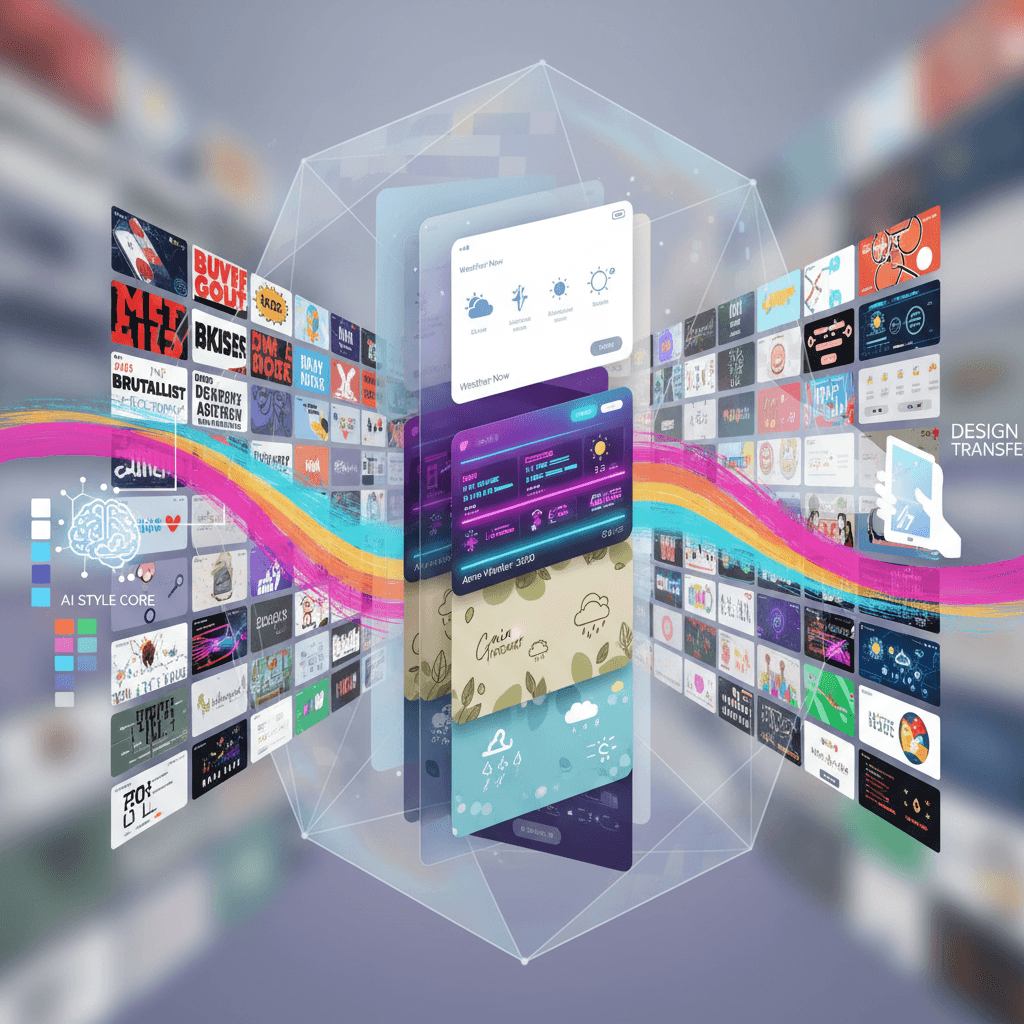
كيف تنشئ تصميم واجهة المستخدم باستخدام مولّد ذكاء اصطناعي تصميم واجهة المستخدم؟
أنشئ أعمالًا فنية مبهرة بالذكاء الاصطناعي في خطوات بسيطة
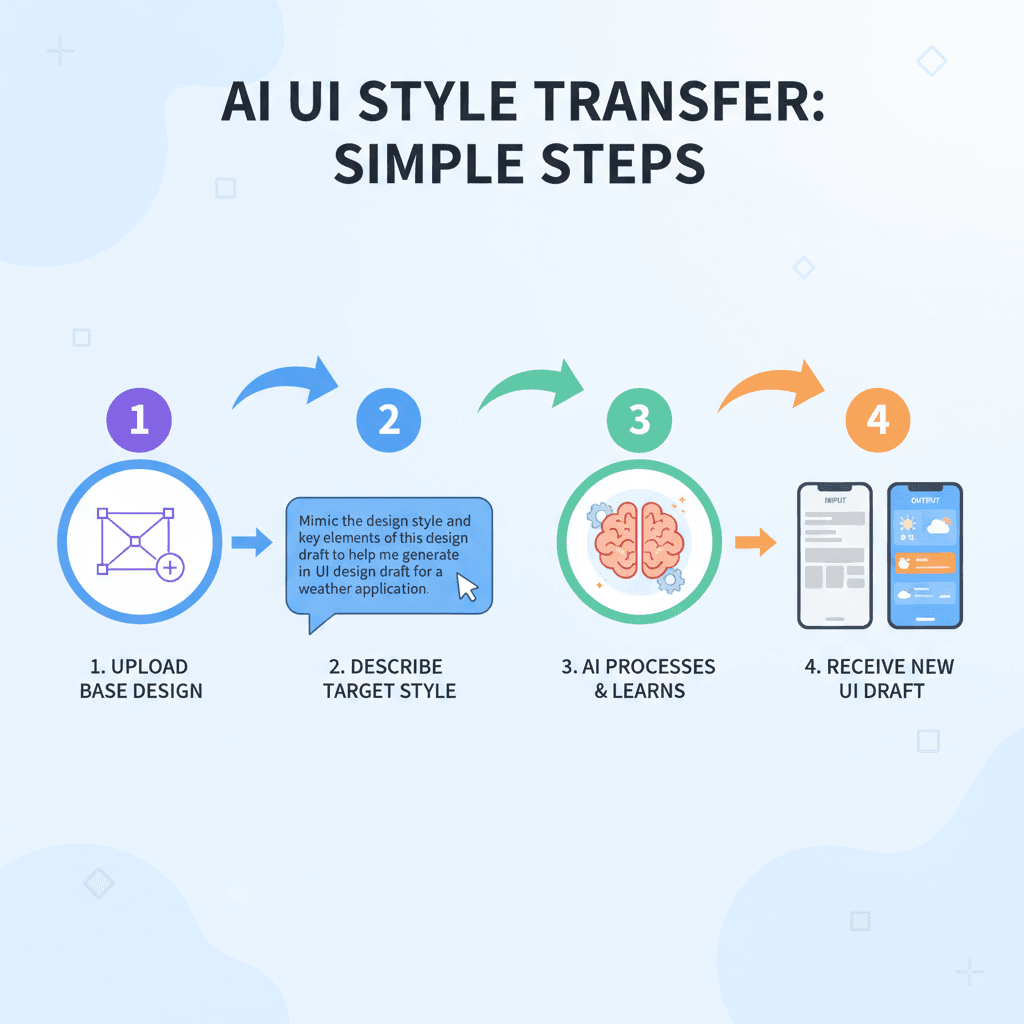
- 1
أدخل أفكارك
لإدخال أفكارك، وصف عناصر تصميم واجهة المستخدم والأسلوب المطلوب بالتفصيل. استخدم النص الأساسي: "قم بمحاكاة أسلوب هذا التصميم لتطبيق واجهة مستخدم الطقس." ثم، قدم مدخلاتك.
- 2
اختر قالبًا
لاختيار قالب، تصفح خيارات التصميم المتاحة. انقر على القالب المفضل لديك لتحميله، ثم تابع لتخصيص تصميم واجهة مستخدم تطبيق الطقس الخاص بك باستخدام أسلوبه وعناصره الرئيسية.
- 3
ولّد باستخدام الذكاء الاصطناعي
لإنشاء تصميم واجهة مستخدم لتطبيق الطقس، أدخل نمط التصميم المرجعي والعناصر الرئيسية. ثم، انقر على زر "توليد الذكاء الاصطناعي" لبدء عملية نقل الأسلوب.
- 4
حمّل العمل الفني
لتحميل عملك الفني، انقر على زر "تحميل" الموجود أسفل تصميم واجهة المستخدم الذي تم إنشاؤه. سيتم حفظ تصميم تطبيق الطقس الخاص بك على جهازك بدقة عالية.
من يمكنه استخدام هذه الأداة؟
هذه الأداة مثالية لمختلف المحترفين والمهتمين بالإبداع
مصممو واجهة المستخدم/تجربة المستخدم المستقلون
يمكنهم بسرعة إنشاء أنماط تصميم فريدة لمشاريع العملاء، مما يوفر الوقت في العصف الذهني ويسمح لهم بالتركيز على تجربة المستخدم.
طلاب التصميم
يمكن للطلاب تجربة أنماط تصميم مختلفة للواجبات، مما يساعدهم على تعلم كيفية دمج جمالية متنوعة في مشاريعهم بشكل فعال.
أصحاب الأعمال الصغيرة
يمكنهم إنشاء واجهات تطبيقات جذابة بصريًا دون الحاجة لتوظيف مصمم، مما يعزز الوجود الرقمي لعلامتهم التجارية ويجذب المزيد من العملاء.
آراء مستخدمينا
اطّلع على ما يقوله المستخدمون عن أداة الذكاء الاصطناعي هذه
أليكس
مصمم مستقل
"لقد كنت أستخدم أداة نقل أسلوب تصميم واجهة المستخدم لمدة ثلاثة أشهر تقريبًا، وقد غيرت تمامًا كيفية تعاملي مع مشاريعي. غالبًا ما أواجه صعوبة في إنشاء تصاميم فريدة لعملائي، لكن هذه الأداة تتيح لي تطبيق أنماط مختلفة بسهولة. في أسبوع واحد، استخدمتها لإعادة تصميم تطبيق موبايل ووفرت على الأقل خمس ساعات كنت سأقضيها عادة في العصف الذهني ورسم الأفكار. كانت النتائج رائعة، وعملائي أحبوا المظهر الجديد!"
جيمي
طالبة تصميم جرافيكي
"كطالبة تصميم، غالبًا ما أجد نفسي مرهقة بالمواعيد النهائية والمشاريع. اكتشفت أداة نقل أسلوب تصميم واجهة المستخدم خلال الفصل الدراسي الثاني، وقد أصبحت منقذة لي. استغرق الأمر مني بضع دقائق فقط لتعلم كيفية استخدامها بفعالية، وتمكنت من إنشاء نموذج موقع ويب رائع لمشروع صفّي تميز عن البقية. أعتقد حقًا أنها وفرت لي على الأقل يومين كاملين من العمل، مما سمح لي بالتركيز على مهام أخرى وتحسين أدائي العام."
أبرز ما في الإبداع
حوّل رؤيتك إلى واقع مع توليد الذكاء الاصطناعي! اختبر قوة Nano Banana Pro لتصميم واجهات مستخدم مذهلة. أنشئ واجهة تطبيق الطقس بسهولة من خلال نقل الأسلوب الذكي، مما يجمع بين الإبداع والكفاءة في مشاريع تصميم واجهة المستخدم الخاصة بك. ارتق بتصاميمك اليوم مع هذه الأداة المبتكرة!
الأسئلة الشائعة
إجابات عن أكثر الأسئلة شيوعًا حول استخدام أداة الذكاء الاصطناعي هذه
هل أنت مستعد لبدء رحلتك الإبداعية مع الذكاء الاصطناعي؟
استخدم قالب الموجّه المُثبت هذا لإنشاء أعمال احترافية خلال دقائق. ابدأ الآن في اختبار إبداع مذهل بالذكاء الاصطناعي!
اكتشف المزيد من أدوات الذكاء الاصطناعي
تعرّف على مجموعتنا المنتقاة من أدوات الإبداع بالذكاء الاصطناعي
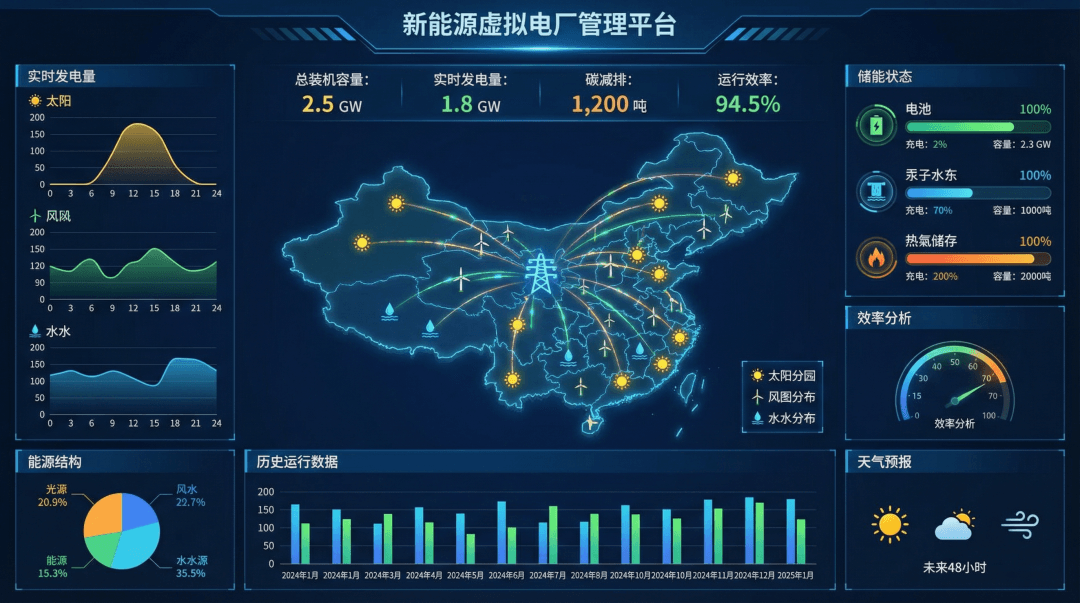
لوحة بيانات الطاقة
مثال مذهل لتصميم واجهة المستخدم تم إنشاؤه باستخدام Nano Banana Pro (توليد الصور من جمنيا). لوحة بيانات الطاقة.
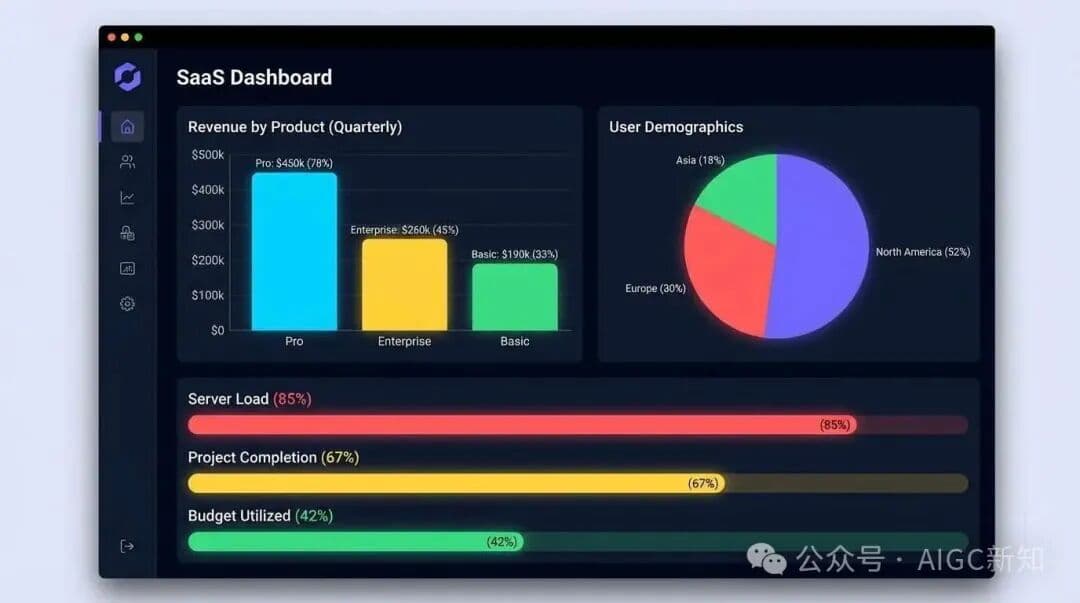
تصميم لوحة معلومات SaaS
مثال رائع لتصميم واجهة المستخدم تم إنشاؤه باستخدام Nano Banana Pro (توليد الصور جمنائي). تصميم لوحة معلومات SaaS.
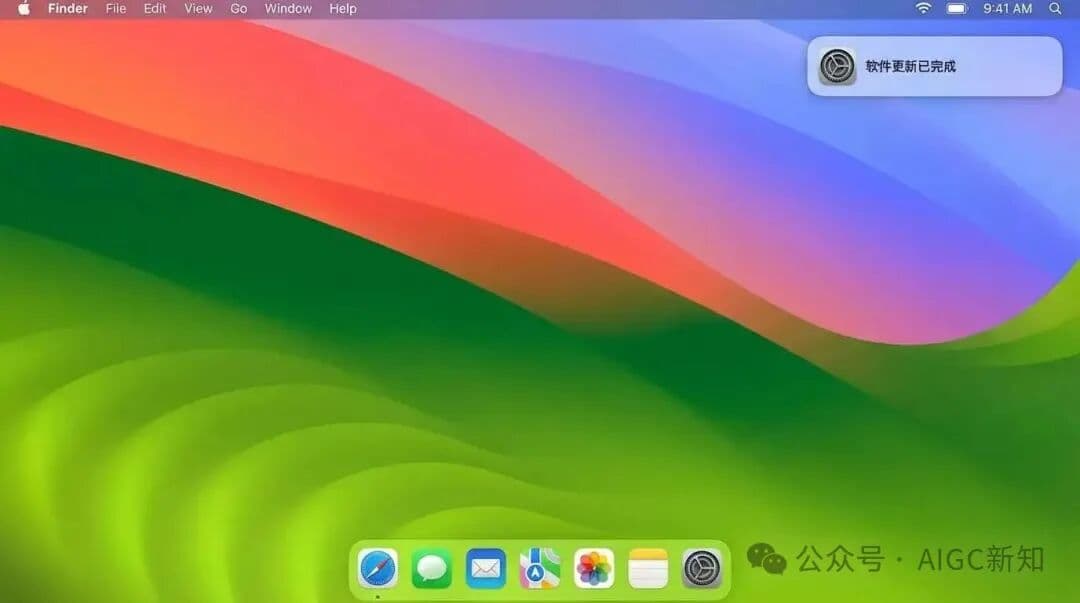
إعادة إنشاء macOS الأحدث
مثال مذهل على تصميم واجهة المستخدم تم إنشاؤه باستخدام Nano Banana Pro (توليد الصور من Gemini). إعادة إنشاء macOS الأحدث.
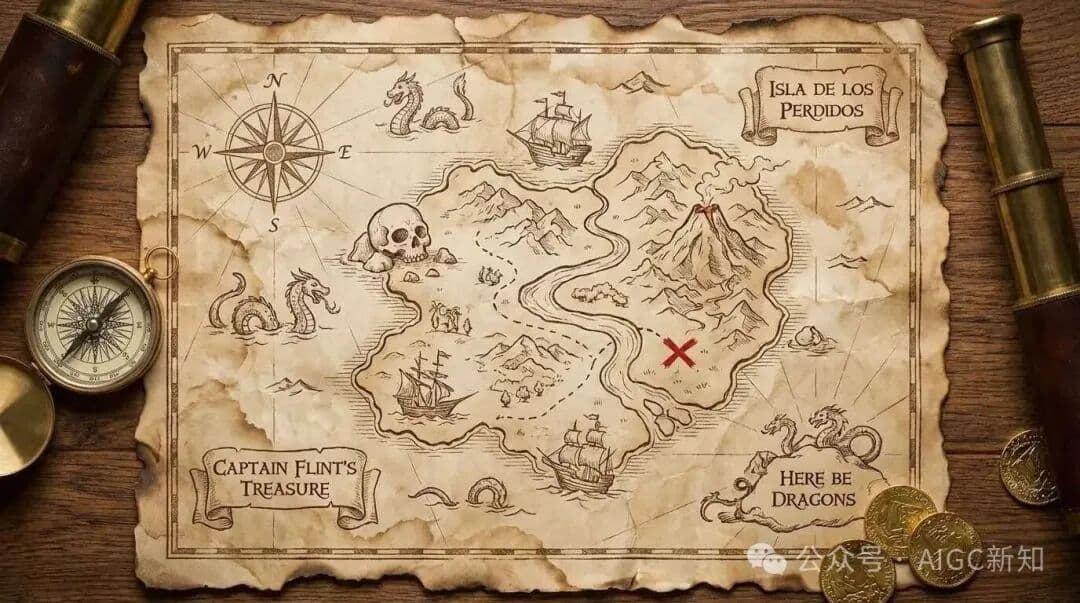
تصميم واجهة مستخدم للطقس في الوقت الحقيقي
مثال مذهل لتصميم واجهة مستخدم تم إنشاؤه باستخدام Nano Banana Pro (توليد الصور من Gemini). تصميم واجهة مستخدم للطقس في الوقت الحقيقي.
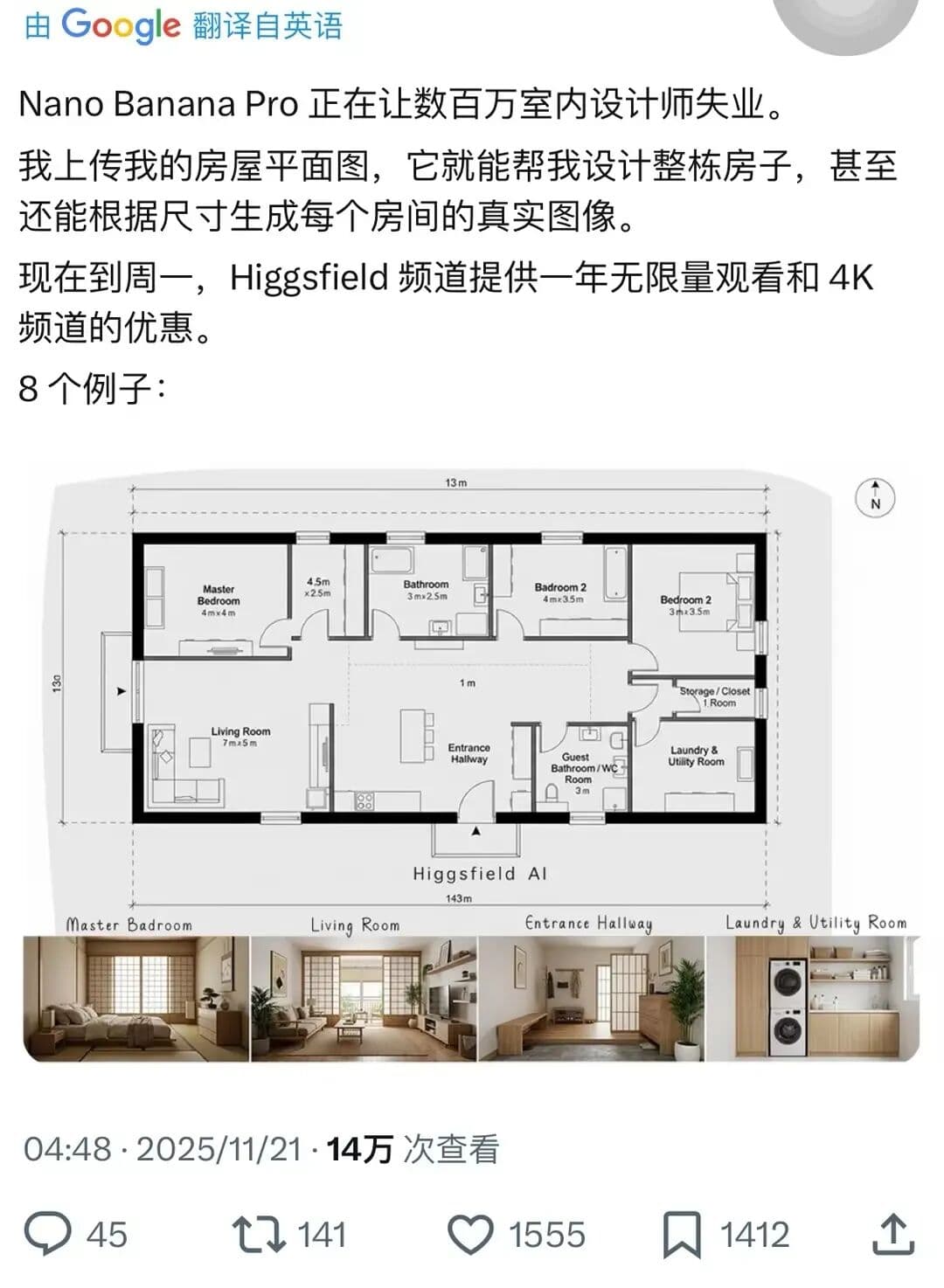
تصميم منزل كامل
مثال رائع على التصميم الداخلي تم إنشاؤه باستخدام Nano Banana Pro (توليد الصور جمنيني). تصميم منزل كامل.
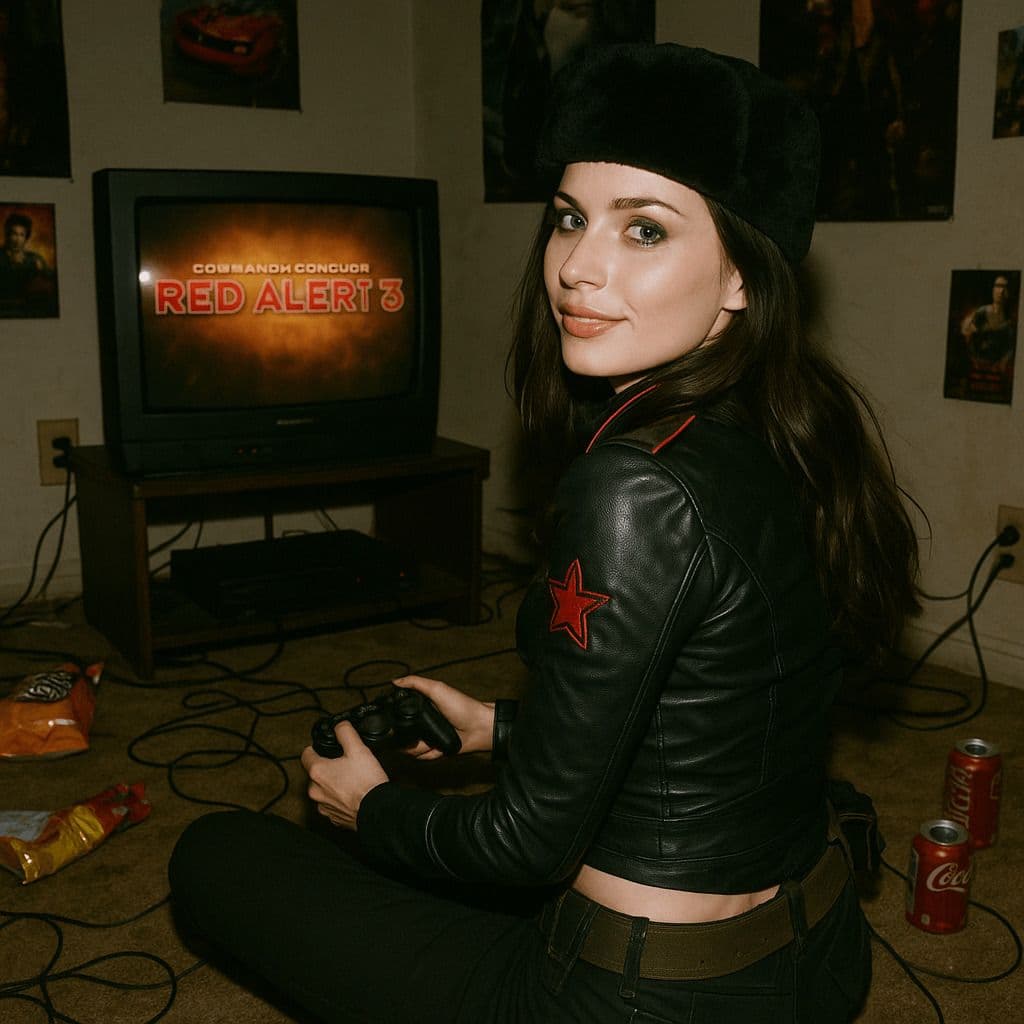
مشهد لعبة ثلاثية الأبعاد فائق الواقعية
عرض ثلاثي الأبعاد فائق الواقعية يعيد إنشاء تصميم شخصية ناتاشا من لعبة *Command & Conquer: Red Alert 3* لعام 2008، تم تصميمه بدقة بناءً على النسخة الأصلية. المشهد في غرفة نوم مظلمة ومزدحمة من عام 2008. الشخصية جالسة على السجادة تواجه تلفاز قديم يعرض *Red Alert 3* مع وحدة تحكم ألعاب. الغرفة مليئة بتفاصيل عام 2008 الحنينية: أغلفة الوجبات الخفيفة، علب الصودا، الملصقات، والأسلاك المتشابكة. تم التقاط ناتاشا فولكوفا في لحظة عفوية، حيث تدير رأسها لتلقي نظرة على الكاميرا، وجهها الأثيري مضاء بابتسامة بريئة. الجزء العلوي من جسمها ملتوي قليلاً، في وضع طبيعي كما لو كانت قد تفاجأت بفلاش الكاميرا. الفلاش يفرط قليلاً في إضاءة وجهها وملابسها، مما يجعل ظلالها تبرز في الغرفة المظلمة. تبدو الصورة بأكملها خام وطبيعية، مع تباينات قوية بين الضوء والظلام تلقي بظلال عميقة، مما يثير الواقعية اللمسية لقطعة فيلم من عام 2008.