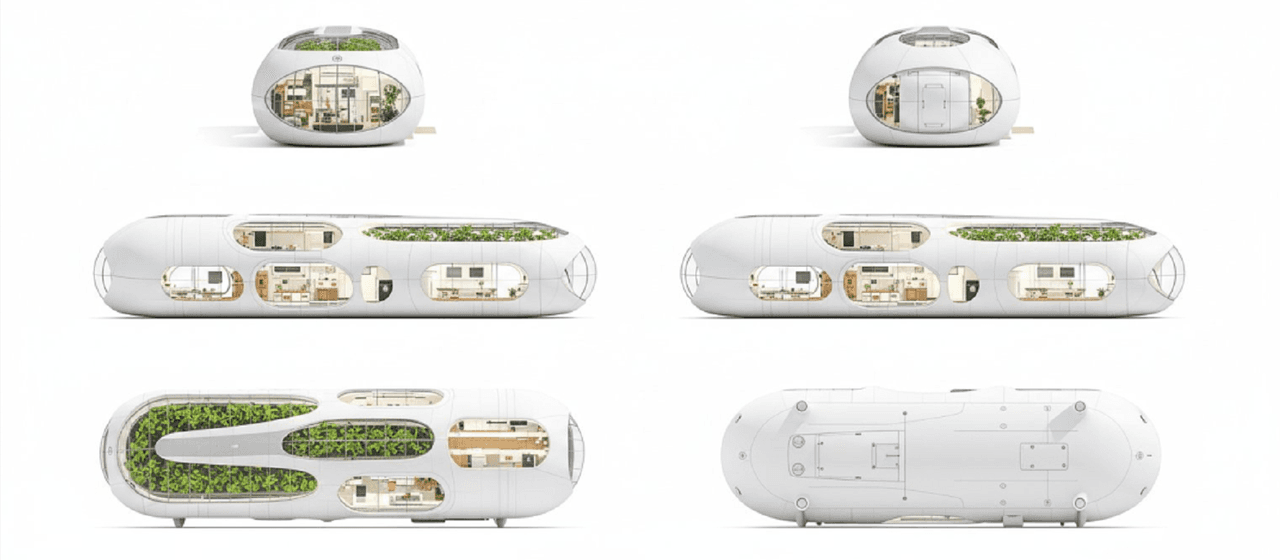
Multi-View Ergebnisgenerierung
Generieren Sie sechs Ansichten eines Objekts: vorne, hinten, links, rechts, oben, unten
Generieren Sie Vorder-, Rück-, Links-, Rechts-, Oben- und Untenansichten auf weißem Hintergrund. Gleichmäßig verteilt. Konsistentes Subjekt. Isometrische Perspektive äquivalent
Mehr aus 3D-Umwandlung
Alle anzeigen →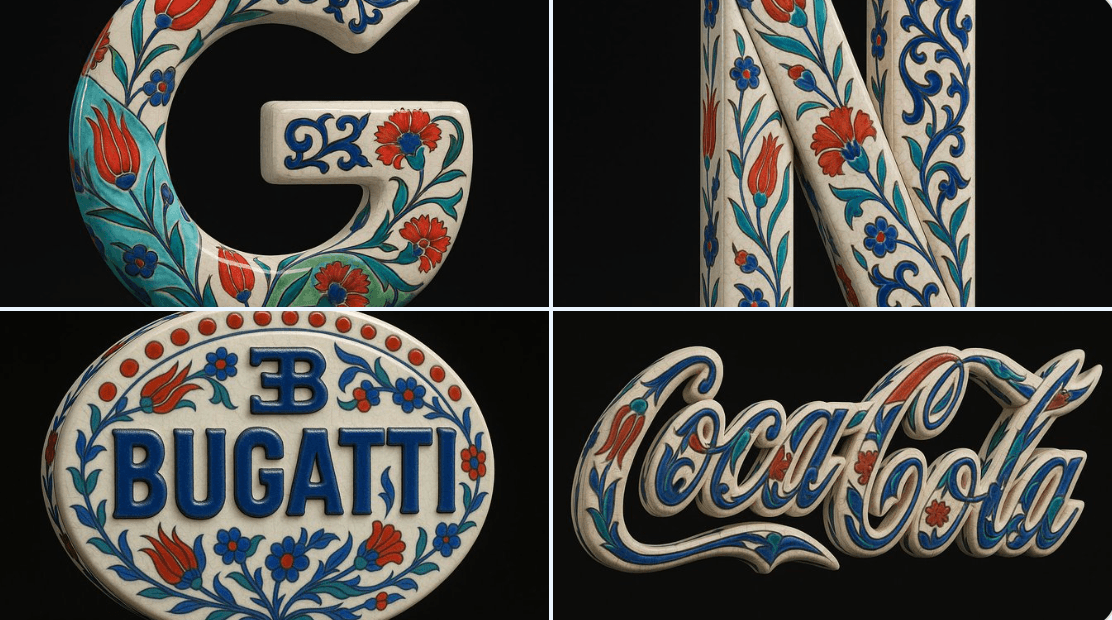
Blau-weißer Porzellanstil
Verwende das hochgeladene Bild als exakte visuelle Grundlage und verwandle es in ein hyperrealistisches 3D-Objekt, das nur die ursprüngliche Form und die Proportionen des Logos beibehält. Wende traditionelle osmanische Iznik-Keramiktexturen an – mit einer warmweißen glasierten Basis mit feinen Craquelé-Linien, überlagert von lebendigen kobaltblauen, türkisen und kräftig roten floralen Motiven wie Tulpen, Nelken und Arabeskenranken. Das gesamte Logo soll als eigenständige Porzellanskulptur behandelt werden, mit erhabenen, handbemalten Details und ohne Hintergrundteller- oder Fliesenstruktur. Stelle sicher, dass die dekorativen Muster elegant den Konturen des Bugatti-Logos folgen, ohne seine Form zu verändern. Rendere das Objekt vor einem rein schwarzen Hintergrund mit Produktbeleuchtung im Cinema 4D-Stil – mit Fokus auf realistischen Keramikglanz, Materialtiefe und subtile Reflexionen. Das Endergebnis soll sich wie eine luxuriöse handgefertigte keramische Neuinterpretation anfühlen, die traditionelle Ornamentik mit industriellem Branding ausbalanciert.
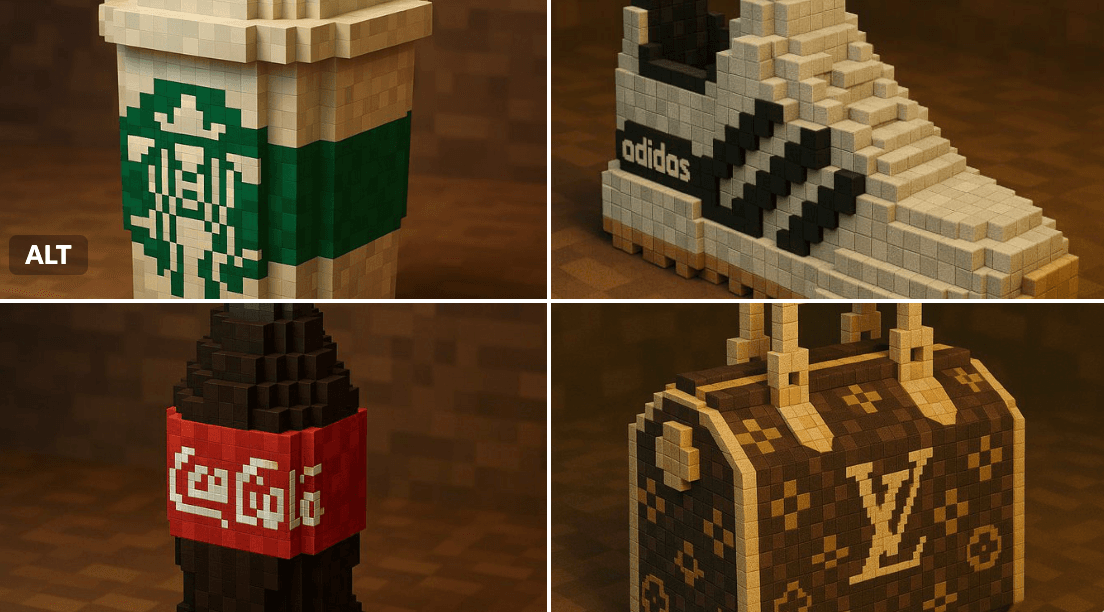
Marke im Minecraft-Stil
"Eine Voxel-Neuinterpretation eines [BRAND NAME] [OBJECT] im Minecraft-Stil, vollständig aus pixeligen Würfeln gebaut — detailliertes Voxel-Modeling, charakteristische Markenfarben und Logo, blockige Texturen, saubere Beleuchtung, stilisiert und dennoch erkennbar, 3D-Render, hohe Auflösung, verspielte und kreative Interpretation"
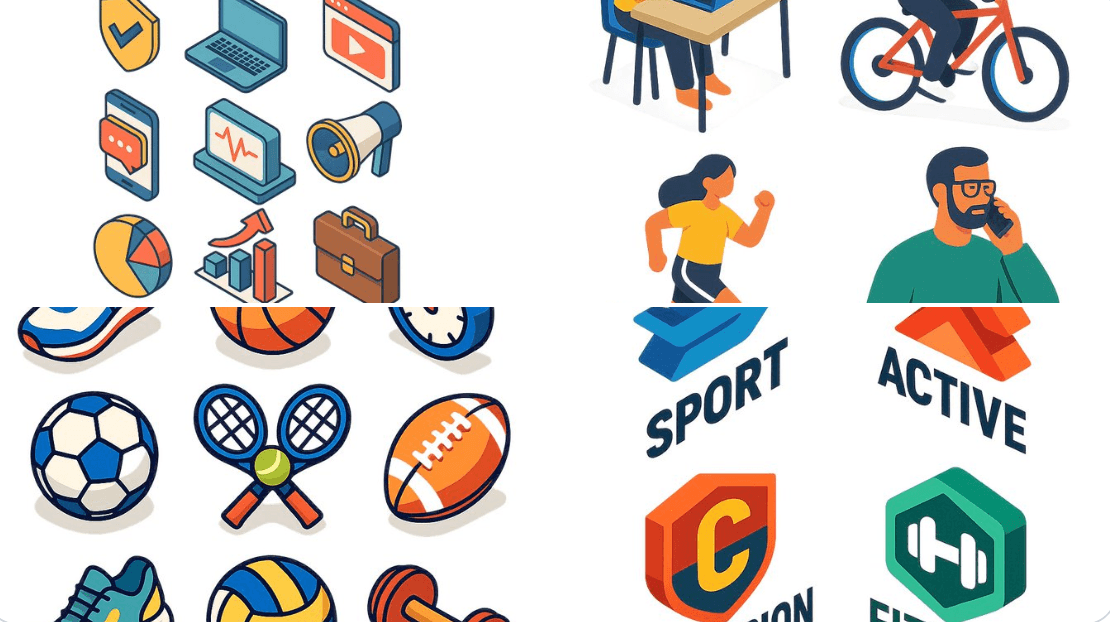
Flaches Design im Isometrie-Stil
Eine flache isometrische digitale Illustration von [beschreibe das Motiv: z. B. ein moderner Arbeitsplatz, ein Stadtblock, eine Gruppe von App-Icons, ein Sportgeschäft], klare Linien und geometrische Formen, helle Pastellfarben, vereinfachte Perspektive mit 3D-Tiefe, minimale Schattierung, weißer Hintergrund oder leichter Farbverlauf. Der Stil ähnelt modernen Vektor-Infografiken, ideal für UI, App-Design oder Web-Visuals.
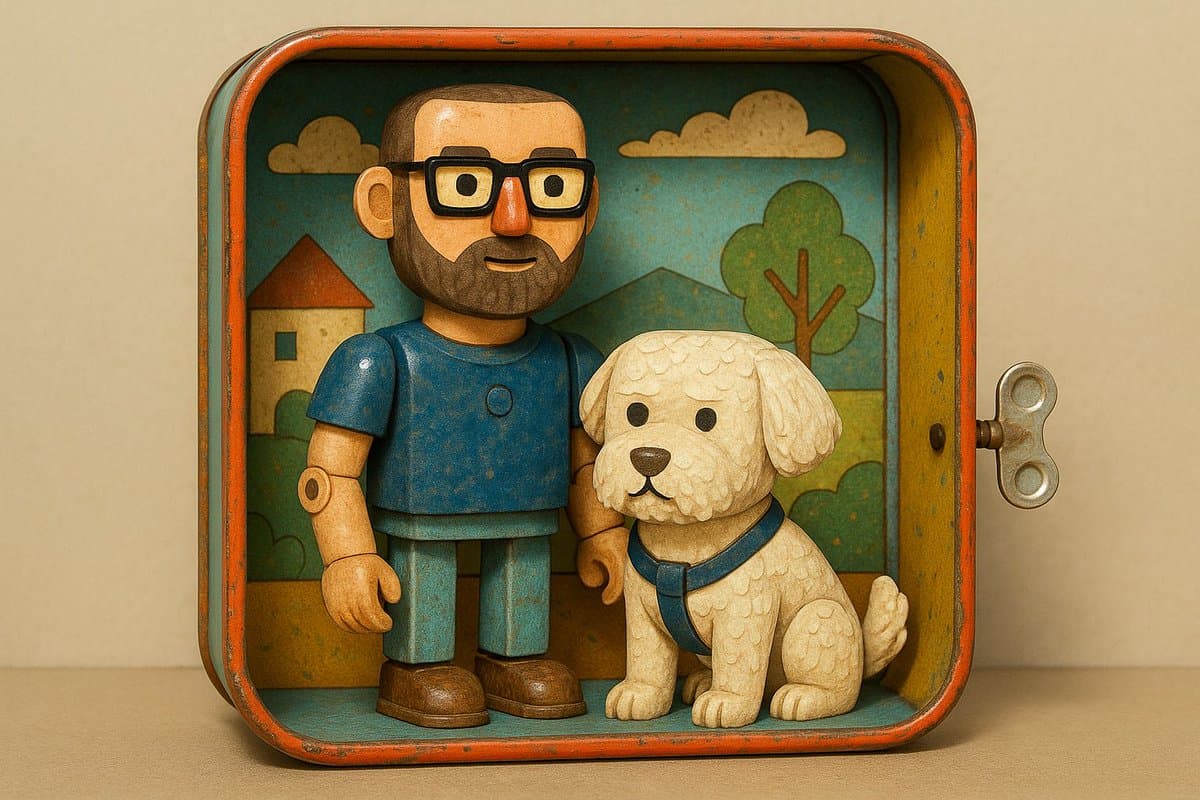
Retro-Blechspielzeug-Diorama-Stil
verwandle es in einen Teil einer mechanischen Miniaturszene aus den 1940er- oder 50er-Jahren, mit: ➕Glänzenden, emaillelackierten Metallfiguren und -objekten. ➕Nietdetails und sichtbaren Gelenken. ➕Illustrierten Kartonhintergründen mit Vintage-Charme. ➕Aufziehspielzeug-ähnlichen Settings mit Zahnrädern und Rädern.

Handgezeichneter Stil einer Infografik-Karte
Erstelle eine Infografik-Karte im handgezeichneten Stil im Hochformat 9:16. Das Thema der Karte ist klar, der Hintergrund ist beige oder cremeweiß mit Papierstruktur, und das Gesamtdesign vermittelt eine schlichte, freundliche handgezeichnete Ästhetik. Oben auf der Karte hebt eine große, kontrastreiche Pinsel-Kursivschrift in Rot und Schwarz den Titel hervor und zieht den visuellen Fokus an. Der gesamte Text soll in chinesischer Kursivschrift sein; das Layout ist insgesamt in 2 bis 4 klare Abschnitte unterteilt, wobei jeder Abschnitt die Kernpunkte mit kurzen, prägnanten chinesischen Phrasen ausdrückt. Die Schrift behält den fließenden Rhythmus der Kursivschrift bei, ist klar lesbar und zugleich künstlerisch. Die Karte soll mit einfachen, interessanten handgezeichneten Illustrationen oder Symbolen verziert werden, etwa Personen oder symbolischen Zeichen, um die visuelle Anziehungskraft zu erhöhen und Leser zum Nachdenken sowie zur Resonanz anzuregen. Achte beim Gesamtlayout auf visuelle Balance und lasse ausreichend Leerraum, damit das Bild schlicht und klar bleibt und sich leicht lesen und verstehen lässt. Das Thema ist: „IP aufzubauen ist ein langfristiger Zinseszinseffekt. Bleib dabei, täglich zu veröffentlichen, mach kontinuierlich weiter, dann wird es definitiv Ergebnisse geben, weil 99% nicht durchhalten.“
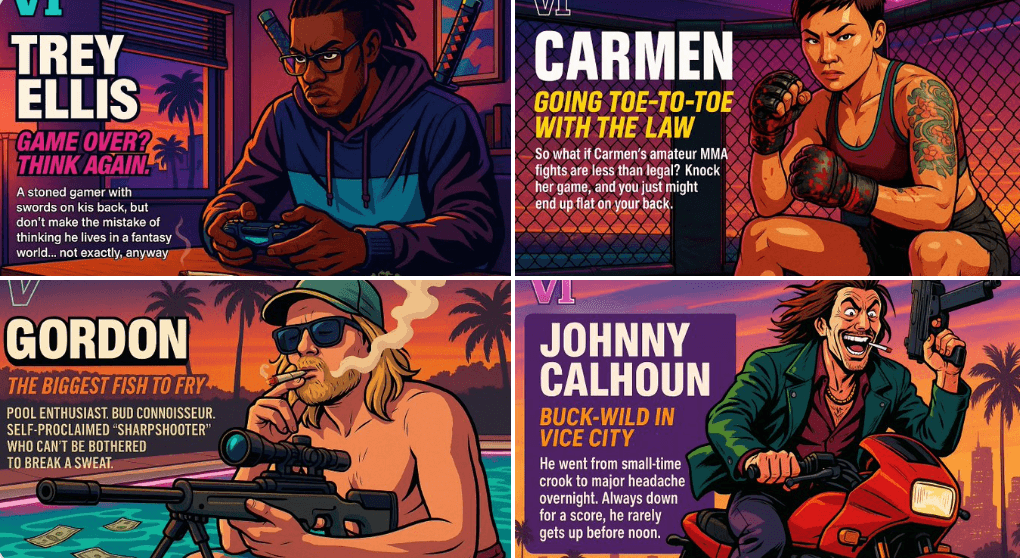
Erstelle deinen eigenen GTA-Charakter
Handle als Creative Director bei Rockstar Games. Erstelle ein fiktives GTA VI-Charakterblatt im exakt gleichen Stil wie die offiziellen GTA VI-Promobilder. Das Layout muss sein: Ein horizontales Charakterblatt, mit dem Charakter auf der rechten Seite, in einer dynamischen Pose, die seine Persönlichkeit widerspiegelt. Links füge den folgenden strukturierten Text ein: Ein kleines "VI"-Logo oben links (visuell erwähnen). Der Name des Charakters in großem, fettem Text. Ein eingängiger Slogan oder Tagline direkt darunter in einer anderen leuchtenden Farbe. Eine kurze Hintergrundgeschichte (3–5 Zeilen), geschrieben in einem ironischen, straßenschlauen oder verspielten Ton — genau wie der Tonfall von Rockstar. Nutze die lebendige Vice City-Ästhetik mit Sonnenuntergangsbeleuchtung, Neonakzenten und Cel-Shading-Comicstil. Kleidung, Aktion und Umgebung des Charakters müssen seinen Archetyp und Hintergrund widerspiegeln. Lass mich die folgenden Variablen anpassen: Archetyp: {your choice} Geschlecht: {your choice} Hautton: {your choice} Frisur: {your choice} Emotion : {your choice} Outfit: {your choice} Waffe oder Aktion: {your choice} Hintergrunddetails: {your choice} Generiere einen fiktiven Namen im Titel und eine Beschreibung auf Englisch Formatiere das Endergebnis wie eine fertige In-Game-Asset-Enthüllung. Die Stimmung soll überdreht, stilvoll und voller Persönlichkeit sein — als wäre sie Teil der echten GTA VI-Welt. (wenn die Abschnitte "Your choice" nicht mit personalisierten Informationen ausgefüllt sind, liegt es an dir, sie selbst zufällig zu generieren) generiere das Visual ab jetzt direkt