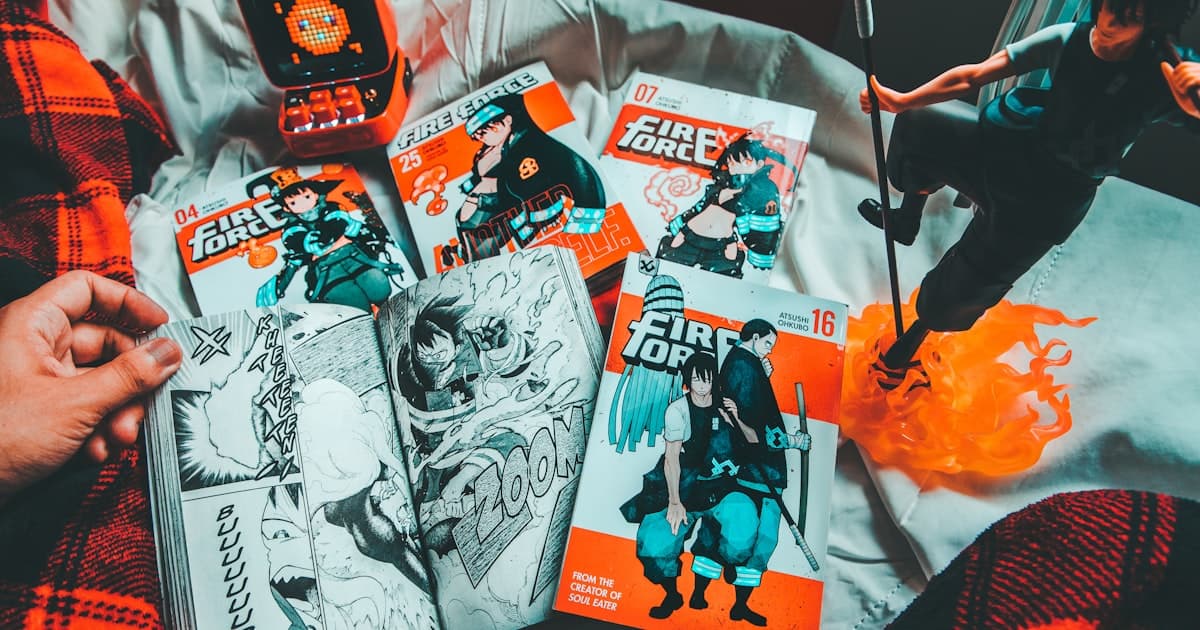
Anime-style AI art has exploded in popularity, with the Ghibli-filter trend taking social media by storm. Whether you want to create dreamy landscapes, dynamic action scenes, or detailed character designs, this guide covers everything you need to know.
Understanding Anime Art Styles
Before diving into prompts, let's categorize the major anime aesthetics:
Style Categories
| Style | Characteristics | Key Prompt Terms |
|---|---|---|
| Shonen | Dynamic poses, action lines, bold colors | "shonen style, dynamic pose, action lines" |
| Shojo | Large expressive eyes, soft colors, romantic | "shojo style, large eyes, soft pastel colors" |
| Studio Ghibli | Painterly, whimsical, detailed backgrounds | "Studio Ghibli style, hand-painted, whimsical" |
| Chibi | Cute, exaggerated proportions, big head | "chibi style, cute, small body, large head" |
| Cyberpunk Anime | Neon, futuristic, tech elements | "cyberpunk anime, neon lights, futuristic" |
| 90s Retro | Cel-shaded, nostalgic palette | "retro anime, 80s aesthetic, cel shaded" |
| Modern Digital | Clean lines, gradient shading | "modern anime, digital art, clean lineart" |
Best Models for Anime Art
Recommended Options
1. Midjourney Niji Mode
- Purpose-built for anime
- Excellent out-of-box results
- Use
--niji 6parameter
2. Stable Diffusion + Anime LoRAs
Top anime checkpoints:
- Anything V5 - Versatile, consistent
- DreamShaper - Good for detailed scenes
- MeinaMix - Beautiful character art
- ToonYou - Modern anime look
- CounterfeitXL - High-quality SDXL anime
3. Leonardo.ai Lucid Origin
- Add "anime" to prompts explicitly
- Good for quick generations
4. FLUX with Style Guidance
- Not anime-native but capable
- Use strong style references
Character Design Fundamentals
Basic Character Prompt Structure
[Character description] + [Outfit/clothing] + [Pose/expression] +
[Background] + [Art style] + [Quality tags]
Example:
Young female warrior with long silver hair and blue eyes,
wearing ornate samurai armor with cherry blossom motifs,
confident stance holding katana,
ancient Japanese temple background,
anime style, detailed illustration,
high quality, sharp focus
Character Sheet Generation
For consistent characters across multiple images:
Character reference sheet for [character description],
showing front view, side view, and back view,
including close-up of face and [special features],
[art style] style, [color scheme],
white background, professional character design
Detailed example:
Character reference sheet for a teenage mage girl
with purple twin-tails and heterochromia eyes (blue and gold),
wearing a black and gold magical academy uniform,
showing front, 3/4, and side views,
close-up of face showing eye detail,
close-up of magical staff design,
modern anime style, vibrant colors,
clean white background,
professional game character concept art
Expression Sheets
Expression sheet for [character],
showing 6 emotions: happy, sad, angry, surprised, thoughtful, embarrassed,
bust shots, [art style],
consistent character design, white background
Environment and Background Art
Ghibli-Style Landscapes
The Ghibli aesthetic requires specific attention to:
- Painterly brush textures
- Detailed natural elements
- Dreamy color palettes
- Volumetric clouds
Template:
[Scene description], Studio Ghibli style,
hand-painted aesthetic, soft watercolor textures,
detailed [natural elements], volumetric clouds,
[time of day] lighting, whimsical atmosphere,
cinematic composition, masterpiece quality
Examples:
Countryside scene:
Rolling green hills with a small cottage,
Studio Ghibli style, hand-painted aesthetic,
wildflowers in foreground, fluffy cumulus clouds,
warm afternoon sunlight, nostalgic summer feeling,
panoramic landscape, beautiful anime scenery
Urban scene:
Narrow Japanese shopping street at dusk,
Studio Ghibli style, warm lantern light,
detailed shop signs, wet pavement reflections,
cozy atmosphere, slice of life feeling,
intricate background details, anime cityscape
Cyberpunk Anime Environments
[Urban scene], cyberpunk anime style,
neon signs in Japanese, holographic advertisements,
rain-slicked streets, reflective surfaces,
dramatic lighting with pink and cyan colors,
detailed futuristic architecture,
Akira/Ghost in the Shell inspired
Advanced Techniques
Maintaining Character Consistency
Method 1: Detailed Description Lock
Create a "character bible" prompt that you reuse:
// Save this as your character reference:
"Sakura: 18-year-old girl, shoulder-length pink hair with side bangs,
large green eyes, small nose, gentle smile, fair skin,
wearing white and pink sailor uniform with red ribbon"
Use it in every generation:
[Sakura character reference],
[current scene/pose],
[consistent style tags]
Method 2: Reference Image + LoRA
- Generate a "base" image you like
- Use it as reference for future generations
- Apply consistent LoRA weights
Method 3: Seed Locking
Find a good generation, note the seed, use it with prompt variations.
Dynamic Action Poses
[Character] in dynamic [action] pose,
motion blur on [moving elements],
speed lines radiating from center,
dramatic camera angle from [perspective],
intense expression, flowing [hair/clothing],
shonen action scene style,
high energy composition
Action examples:
Female ninja mid-leap between rooftops,
dynamic diagonal composition,
motion blur on trailing scarf,
moonlit night background,
dramatic low angle shot,
sharp focus on face and weapon,
intense determined expression,
action anime style, high contrast lighting
Emotional Scenes
[Character] [emotional action],
[emotional lighting - soft/dramatic/melancholic],
[weather/environmental elements matching mood],
[symbolic elements],
emotional anime style,
cinematic composition,
[color palette matching emotion]
Example - melancholic scene:
Young man standing alone at train platform,
looking at departing train,
rainy evening, soft yellow platform lights,
scattered cherry blossom petals,
melancholic atmosphere,
soft focus background,
muted blue and pink color palette,
bittersweet anime moment,
cinematic composition
Style-Specific Prompt Templates
90s Retro Anime
[Scene/character description],
1990s anime style, cel shaded,
VHS quality aesthetic, slight grain,
bold outlines, limited color palette,
nostalgic OVA feeling,
[classic anime] inspired
Modern Seasonal Anime
[Scene/character description],
modern anime style 2024,
detailed digital coloring,
soft ambient lighting,
high production quality,
Kyoto Animation / Ufotable style,
clean lineart, subtle gradients
Light Novel Cover Style
[Character portrait] in dramatic pose,
light novel cover composition,
elaborate costume details,
magical effects and particles,
dynamic lighting with rim light,
vibrant saturated colors,
professional illustration quality,
text space in composition
Manga Panel Style
[Action scene], black and white manga style,
dramatic screentone shading,
dynamic panel composition,
speed lines and impact effects,
bold ink lines, high contrast,
professional manga illustration
Common Problems and Solutions
Problem: Distorted Anatomy
Solution - Negative prompts:
Negative: bad anatomy, extra limbs, missing fingers,
distorted face, asymmetric eyes, wrong proportions,
fused fingers, too many fingers, poorly drawn hands
Solution - Emphasize quality:
(correct anatomy:1.2), (proper proportions:1.1),
(beautiful detailed eyes:1.3), (detailed hands:1.2)
Problem: Inconsistent Style
Solution:
- Use specific artist/studio references
- Apply consistent LoRA at 0.6-0.8 weight
- Maintain same quality tags across generations
Problem: Generic Results
Solution - Add specificity:
// Instead of:
"anime girl"

// Use:
"detailed anime portrait of a young woman with
distinctive [specific feature], wearing [specific outfit],
[specific expression], [specific lighting],
[specific artist/studio] style"
Problem: Wrong Eye Style
Solution - Specify eye type:
// For large cute eyes:
"large expressive anime eyes, shiny pupils, detailed iris"

// For realistic anime eyes:
"semi-realistic anime eyes, detailed reflections, natural proportions"

// For sharp/serious eyes:
"sharp angular anime eyes, intense gaze, narrow pupils"
Practical Exercises
Exercise 1: Character Design
Create a complete character following this progression:
-
Basic concept (5 generations)
Original character design, [gender] [age range], [1-2 distinctive features], anime style -
Refine appearance (10 generations)
[Refined character description], [detailed outfit], [hairstyle details], [color scheme], character concept art -
Character sheet (5 generations)
Character reference sheet, [your character],
multiple views, consistent design,
clean white background
Exercise 2: Scene Illustration
Progress from simple to complex:
-
Simple background
Single character, simple gradient background, anime style portrait -
Environmental context
Character in [location], basic environment details, establishing shot -
Full illustration
[Character] in [detailed environment],
[time of day], [weather], [mood],
full anime illustration, detailed background
Exercise 3: Style Mimicry
Pick a specific anime and replicate its style:
[Scene description],
[specific anime title] art style,
matching color palette and lighting,
characteristic [specific visual elements]
Resources for Improvement
Study These Studios/Artists
- Studio Ghibli - Environmental art, color theory
- Kyoto Animation - Character animation, soft lighting
- Ufotable - Dynamic action, special effects
- Makoto Shinkai - Lighting, atmospheric perspective
- Ilya Kuvshinov - Modern character portraits
- Krenz Cushart - Dynamic poses, composition
Prompt Libraries
Build your personal library of:
- Character description templates
- Background description templates
- Quality tag combinations
- Negative prompt collections
- Style reference phrases
Ready to create your anime masterpiece? Open CreateIO Studio and start with our anime-optimized presets. Share your creations with us on Twitter @CreateIOai!