
Cute Sleep Report Poster
Task: Poster design, sleep data visualization art. First step: Analyze [uploaded Apple Watch sleep data screenshot] to extract the duration ratio of the four stages: Wake, REM, Core, and Deep sleep.
Task: Poster design, sleep data visualization art. First step: Analyze [uploaded Apple Watch sleep data screenshot] to extract the duration ratio of the four stages: Wake, REM, Core, and Deep sleep. Visual Description: The main subject is a 3D, vertical cuboid transparent glass container (resembling an elegant trophy base or a geological sampling tube), placed against a deep, solid color background. Inside the container, four different colored miniature landscape layers are stacked, one upon another. The vertical thickness of each layer must be generated according to the duration ratio from [uploaded data] (e.g., if core sleep duration is the longest, then the blue layer should be the thickest). Landscape Layer Details (from top to bottom): Top Layer (extremely thin or based on wake duration): Wake Layer (Orange) Depicted as a dry desert surface or a noise texture, symbolizing the activity and chaos of consciousness. Second Layer: Rapid Eye Movement Layer (REM - Light Blue) Depicted as a dreamy sky layer with floating clouds, bubbles, or surreal objects. The material is transparent and light. Third Layer: Core Sleep Layer (Deep Blue) Depicted as a soft, comfortable layer of stacked ocean balls or layered down material, giving a sense of stability and tranquility. Bottom Layer: Deep Sleep Layer (Violet) Depicted as a hard, heavy crystal mine or a stack of glowing energy blocks. This is the foundation; the thicker it is, the better the sleep quality. Protagonist (User Persona): At the very top edge of the glass container (at the opening), a Q-version 3D character is seated. Action: The character's legs naturally dangle, sitting leisurely. State: If the sleep score is high, the character can have a fully charged green battery icon above its head, with a contented expression; if the score is low, the character might look dejected or be holding a cup of coffee. Equipment: The character must wear a miniature smartwatch on its wrist. Lighting and Rendering: Use C4D or Blender-style 3D rendering. Emphasize the refractive index of the glass container and the physical textures of each layer's material (sand, clouds, ocean balls, crystals). The background should be premium black or deep blue, with lighting focused on highlighting the translucency inside the container and the subtle glow of the bottom layer. Bottom Layout: Simple data display. Main Title: My Sleep Strata Key Data: Total Sleep Duration | Sleep Score Legend: Use four corresponding colored dots to label the name and specific duration of each layer.
More from Infographic
View all →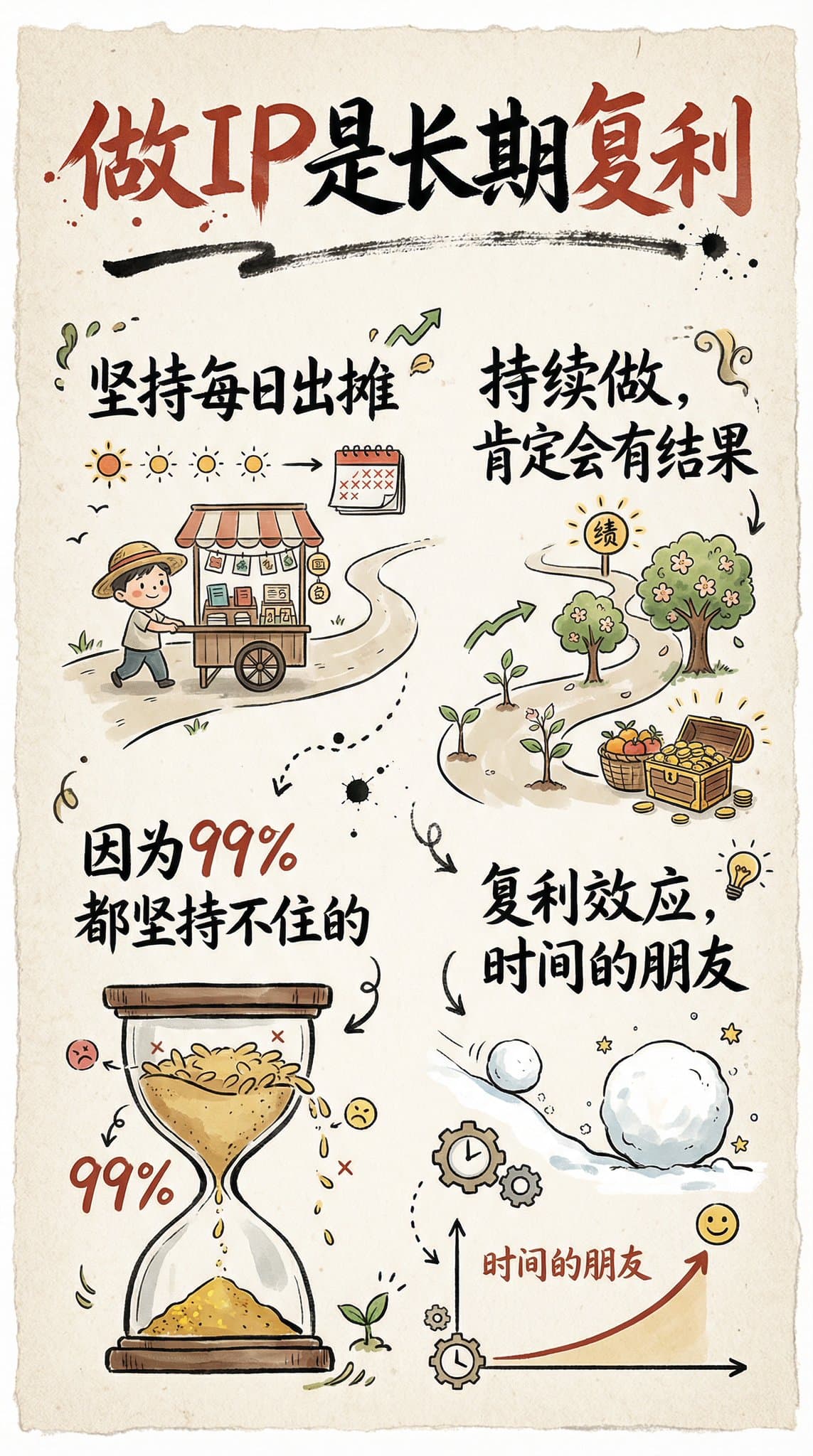
Hand-Drawn Infographic Card
Create a hand-drawn style infographic card with a 9:16 vertical aspect ratio. The card has a clear theme, with a beige or off-white background featuring a paper texture, and the overall design embodies a simple, friendly hand-drawn aesthetic. The card's title is prominently displayed at the top in large, contrasting red and black calligraphic brush script, drawing visual focus. All text content uses Chinese cursive script, and the overall layout is divided into 2 to 4 clear sections, each expressing key points with short, concise Chinese phrases. The font maintains the smooth rhythm of cursive script, being both clear and readable while possessing artistic flair. The card is embellished with simple, interesting hand-drawn illustrations or icons, such as figures or symbols, to enhance visual appeal and evoke thought and resonance from the reader. The overall layout pays attention to visual balance, reserving sufficient white space to ensure the image is concise, clear, easy to read, and understand. The theme is: "Building an IP is a long-term compounding return. Persist in daily work, continue doing it, and there will definitely be results, because 99% won't persevere."
Recipe Infographic Creation
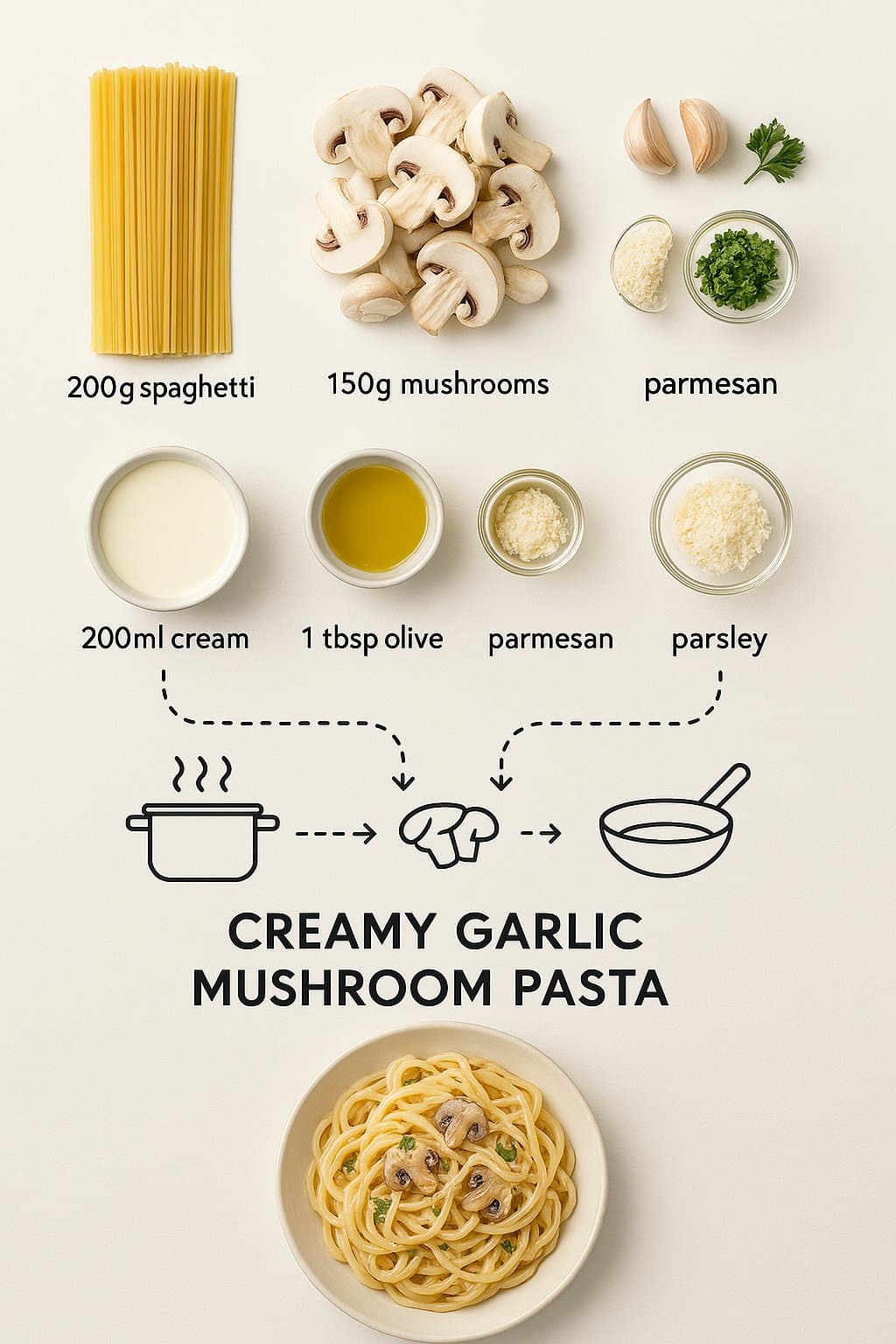
Create a step-by-step recipe infographic for creamy garlic mushroom pasta, top-down view, in a minimal style on a white background. Include ingredient photos labeled: "200g spaghetti", "150g mushrooms", "3 garlic cloves", "200ml cream", "1 tbsp olive oil", "parmesan", "parsley". Use dotted lines to show process steps with icons (boiling pot, sauté pan, mixing), and feature a final plated pasta shot at the bottom.
Sichuan Opera Face Change Decryption Diagram
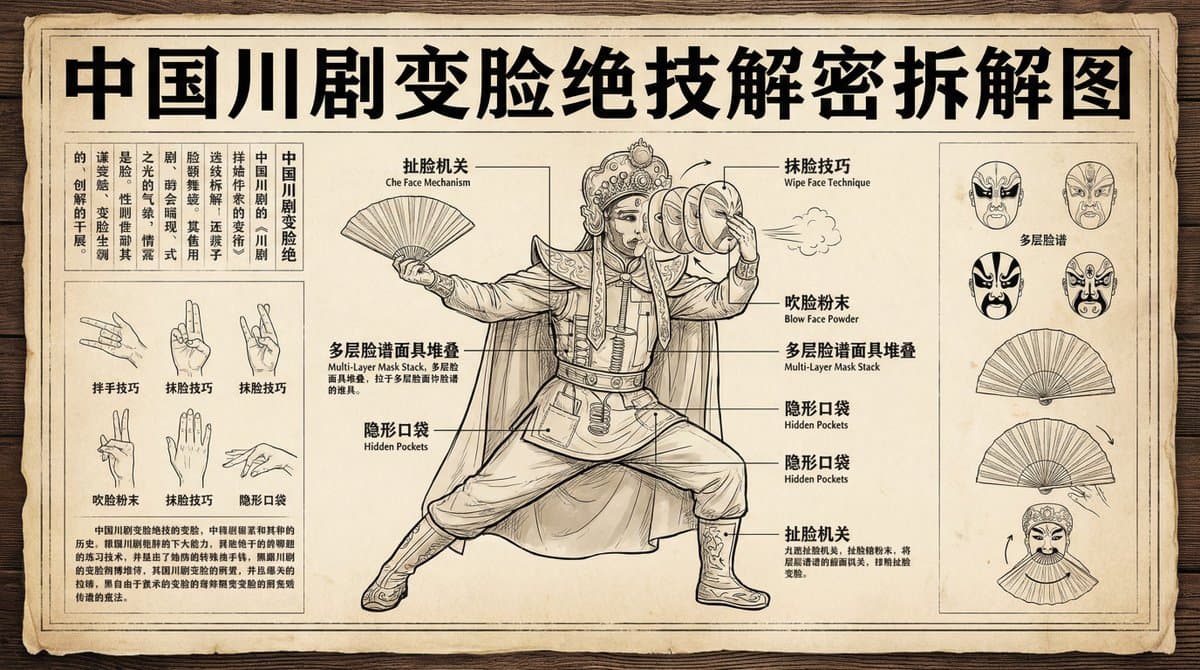
Create a deconstruction diagram of the unique Chinese Sichuan Opera Face-Changing technique. Ensure Chinese characters are not distorted. Aspect ratio 16:9.
Landmark Infographic
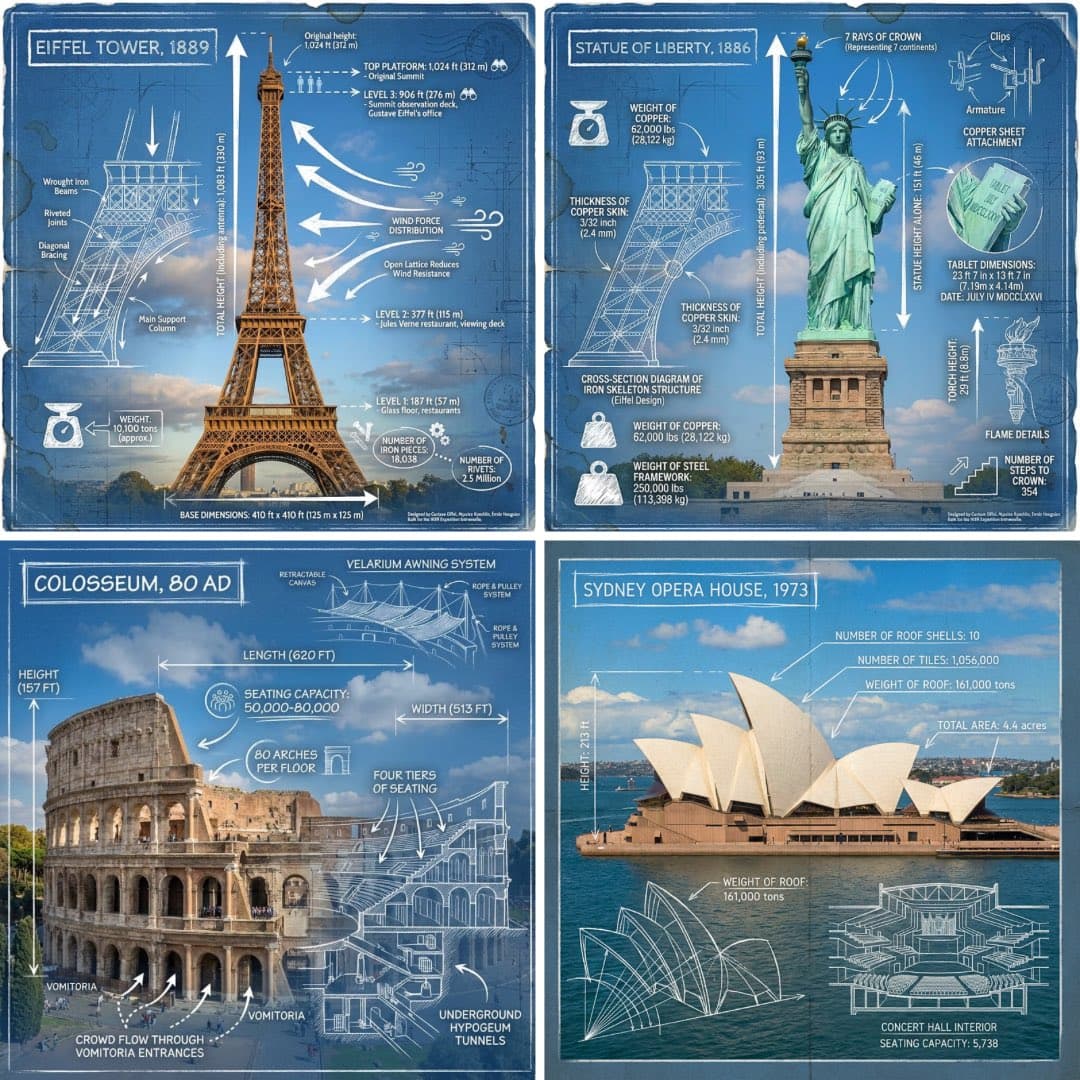
Create an infographic image of [LANDMARK], combining a real photograph of the landmark with blueprint-style technical annotations and diagrams overlaid on the image. Include the title “[LANDMARK]” in a hand-drawn box in the corner. Add white chalk-style sketches showing key structural data, important measurements, material quantities, internal diagrams, load-flow arrows, cross-sections, floor plans, and notable architectural or engineering features. Style: blueprint aesthetic with white line drawings on the photograph, technical/architectural annotation style, educational infographic feel, with the real environment visible behind the annotations
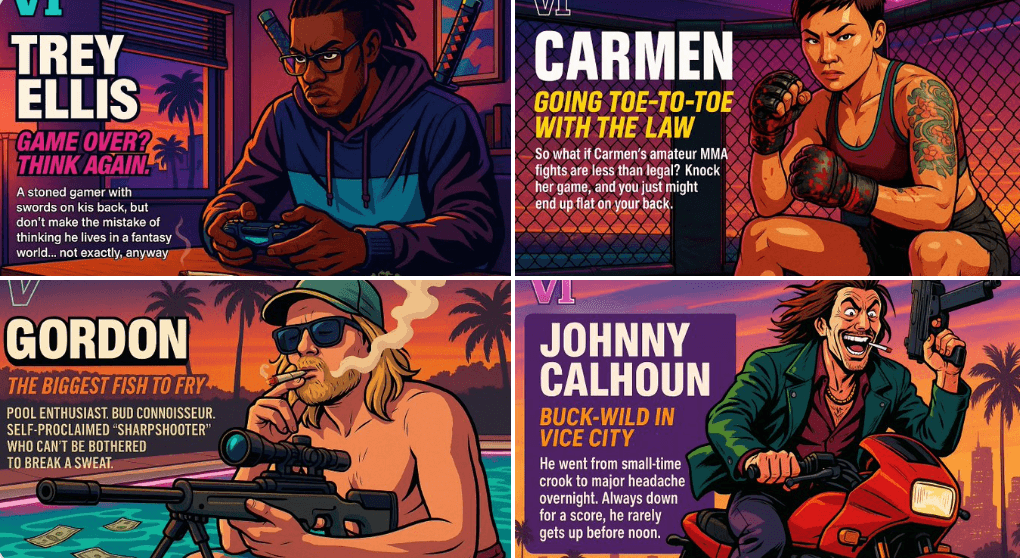
Create Your Own GTA Character
Act as a creative director at Rockstar Games. Create a fictional GTA VI character sheet in the exact same style as the official GTA VI promotional images. The layout must be: A horizontal character sheet, with the character on the right, in a dynamic pose that reflects their personality. On the left, include the following structured text: A small "VI" logo at the top left (mention it visually). The character’s name in big bold text. A catchy slogan or tagline right below in a different bright color. A short backstory (3–5 lines) written in an ironic, street-smart, or playful tone — just like Rockstar’s tone of voice. Use the vibrant Vice City aesthetic with sunset lighting, neon accents, and cel-shaded comic style. The character’s clothing, action, and environment must reflect their archetype and background. Let me customize the following variables: Archetype: {your choice} Gender: {your choice} Skin tone: {your choice} Hairstyle: {your choice} Emotion : {your choice} Outfit: {your choice} Weapon or action: {your choice} Background details: {your choice} Generate a fictive name in tittle and a description in english Format the final result like a finished in-game asset reveal. The vibe should be over-the-top, stylish, and full of personality — as if part of the real GTA VI world. (if the "Your choice" sections are not filled with personalized information, it's up to you to generate it randomly by yourself) generate the visual directly from now on
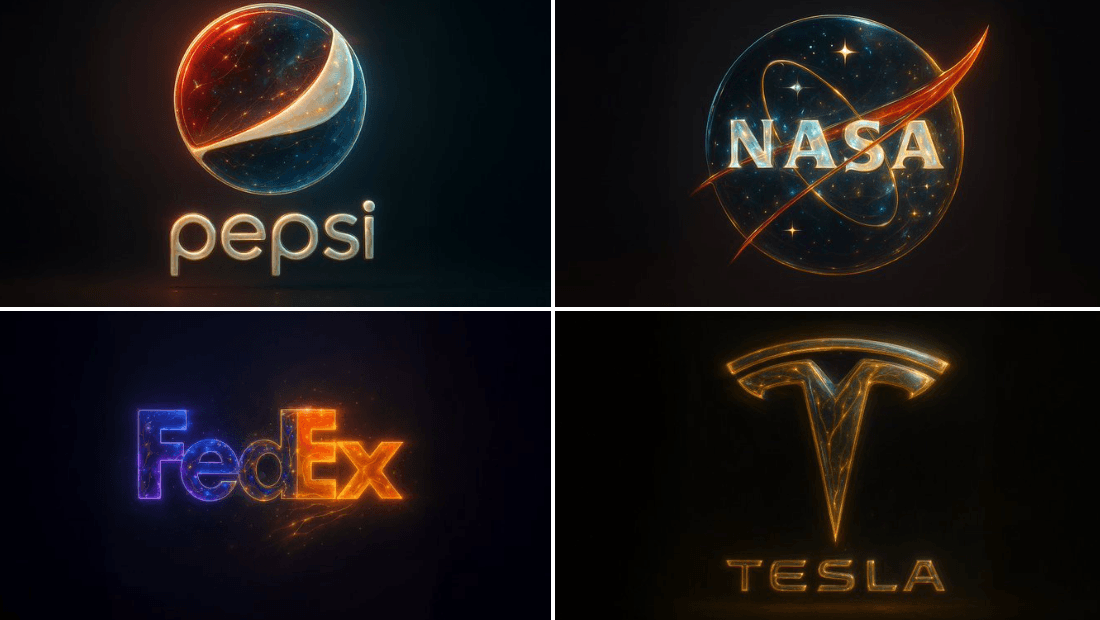
Golden Abstract Composite Style
{ "base_image": "uploaded image", "style_transfer": { "visual_characteristics": { "head_and_face": { "material": "translucent resin with embedded starlight and glowing neural circuits", "surface_effect": "mirror-gloss with gold filament veins and galaxy-like reflections", "lighting": "dynamic cinematic rim lights with volumetric glow" }, "body_structure": { "texture": "high-polish white ceramic with embedded gold wiring", "design": "futuristic like organic plating", "highlight_elements": "subtle internal light flows mimicking synaptic energy" }, "motion_effect": { "visual_glitch": "subtle horizontal motion blur on head edges", "energy_flow": "faint pulsing particle lights across body" }, "background": { "type": "neutral gradient or dark void", "focus": "emphasize figure's luminous contrast" } }, "application_target": "Replace surface and material style of uploaded image with the characteristics described above, while preserving the original pose, structure, and composition of the target image." } }