
Predicting the Before and After Scene
Please show the results respectively 5 minutes ago/30 minutes later/1 hour later/2 hours later
Please show the results respectively 5 minutes ago/30 minutes later/1 hour later/2 hours later
More from Scene Editing
View all →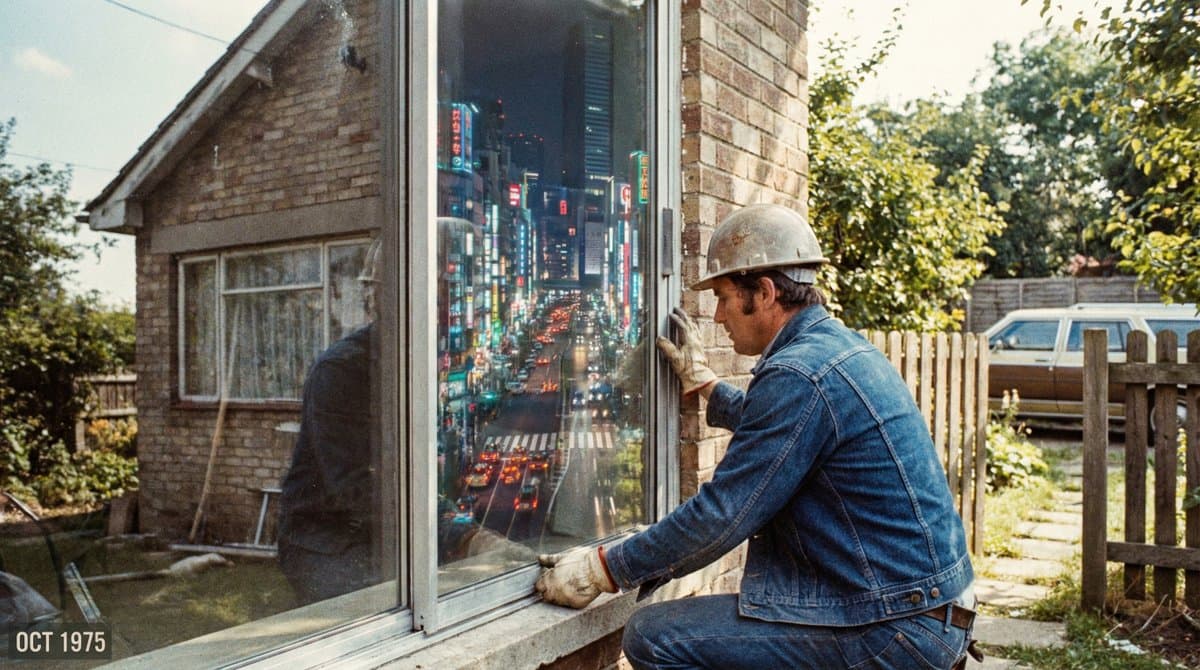
Magic Window
Grainy 35mm film photo from 1975. A construction worker is installing a large glass window pane on the ground floor of a brick house. Through the clear glass, instead of seeing the interior of the room, we see a view looking down from a skyscraper at night onto a neon Tokyo metropolis. The reflection in the glass, however, correctly shows the sunny suburban garden behind the photographer. Visual anomaly, subtle horror, analog texture.
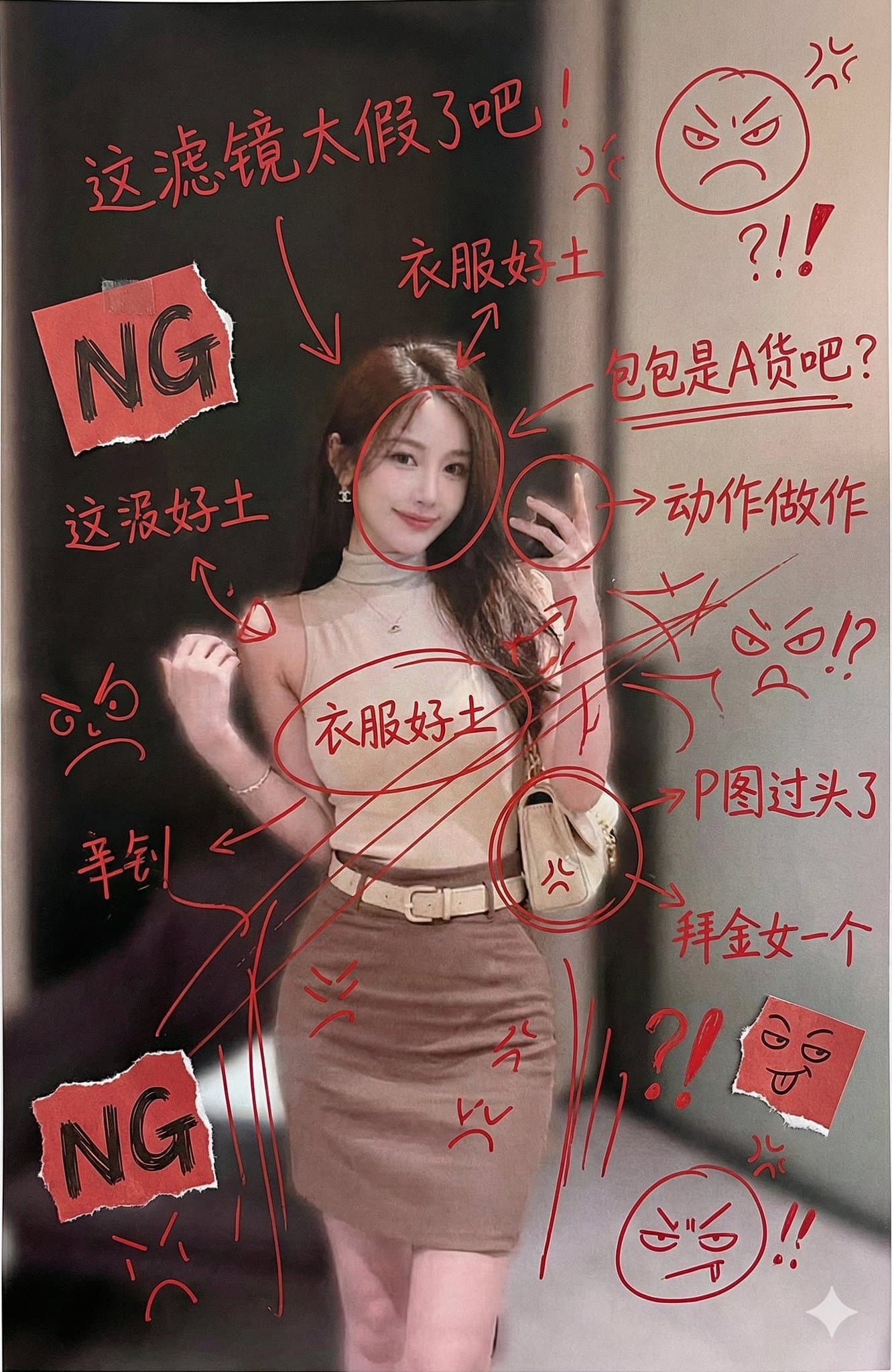
Red Ink Plus Handwritten Chinese Annotations
Generate an image, print it out, then frantically add handwritten Chinese annotations, graffiti, and scribbles with red ink. If you wish, retrieve content from this account; the graffiti should primarily be complaining about him. You can also add some small clip art.
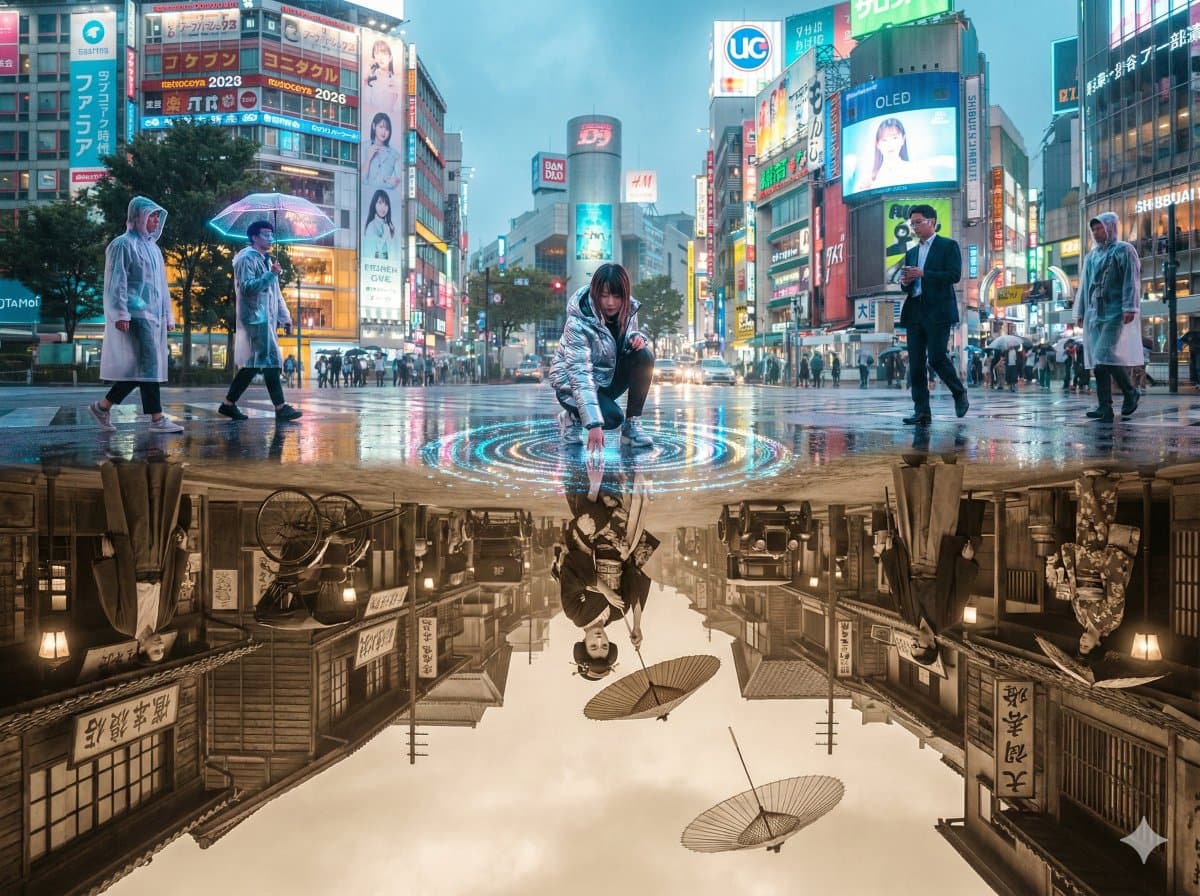
Stunning Split Screen Photos
A single, perfectly composed 4:3 cinematic photograph of Shibuya Crossing, Tokyo, shot right after a sudden summer shower. The entire street is covered in a mirror-like sheet of rainwater that reflects everything above it like flawless glass. Above the waterline: hyper-real 2026 Shibuya. Towering curved 8K transparent OLED billboards, naked-eye 3D holograms of J-pop idols floating mid-air, salarymen in translucent raincoats and AR monocles, girls in techwear with glowing umbrella drones, cyan-magenta neon bleeding into wet asphalt, thousands of umbrellas blooming in perfect chaos. Below the waterline, perfectly reflected yet terrifyingly real: 1926 Shibuya. Low-rise wooden shops with sliding doors, hand-painted kanji signs for sake and kimono stores, rickshaws and early Model-T taxis, women in furisode kimono and braided hair carrying paper parasols, men in haori-hakama and geta sandals, soft gas lamps flickering, everything in warm sepia monochrome. At the exact center where water meets reality, the boundary breaks: A 2026 girl in chrome puffer jacket kneels and touches the puddle; her reflection is a 1926 geisha reaching upward; their fingertips meet at the water surface and create perfect concentric ripples that turn into glowing pixels. A salaryman looks down and sees his own face aged 100 years staring back in horror. A 1926 paper parasol floats upward out of the water and becomes a transparent umbrella drone. Droplets fall upward from 1926 into 2026, becoming LED particles that explode into tiny holograms. Everyone, past and present, is frozen mid-step, staring into the mirror-realm in pure shock and wonder. Photorealistic octane render, 8K, razor-sharp reflection detail, anamorphic lens, subtle volumetric god rays cutting through rain mist, perfect water physics, colour grade shifts from electric neon above to warm sepia below, maximum emotional intensity. --ar 4:3 --stylize 650 --v 6 --q 2
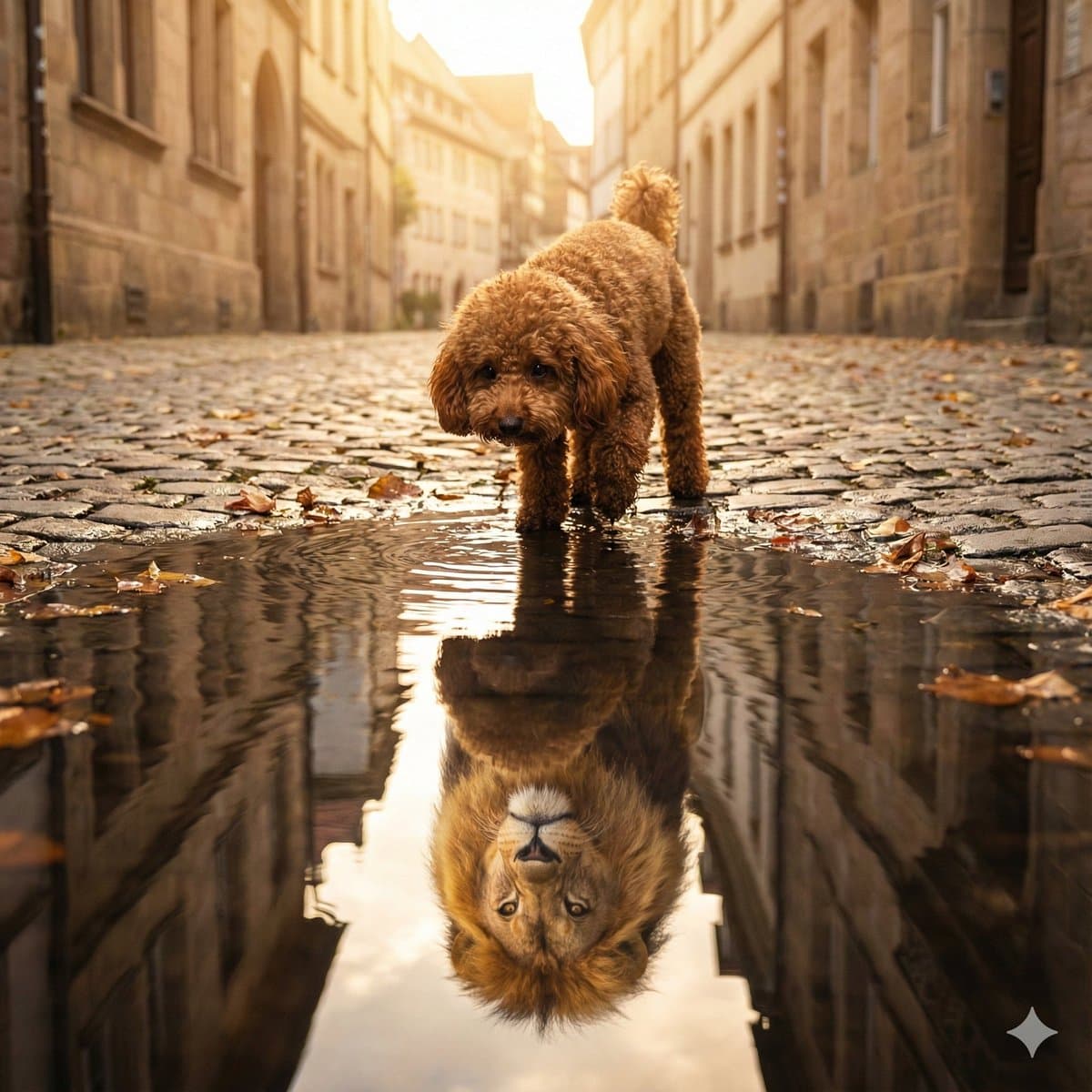
Small in Body, Lion at Heart
A small, reddish-brown poodle with curly fur and expressive dark eyes is standing on a quiet street, looking into a puddle. In the water’s reflection, he sees a proud, majestic lion with a flowing mane. The reflection is realistically distorted by soft ripples in the puddle, giving the scene a dreamlike, metaphorical quality. The lighting is soft and natural, with a hint of golden hour. The image captures the contrast between Vin’s small size and his inner strength, courage, and determination. --ar 1:1

Hand-Drawn Infographic Card
Create a hand-drawn style infographic card with a 9:16 vertical aspect ratio. The card has a clear theme, with a beige or off-white background featuring a paper texture, and the overall design embodies a simple, friendly hand-drawn aesthetic. The card's title is prominently displayed at the top in large, contrasting red and black calligraphic brush script, drawing visual focus. All text content uses Chinese cursive script, and the overall layout is divided into 2 to 4 clear sections, each expressing key points with short, concise Chinese phrases. The font maintains the smooth rhythm of cursive script, being both clear and readable while possessing artistic flair. The card is embellished with simple, interesting hand-drawn illustrations or icons, such as figures or symbols, to enhance visual appeal and evoke thought and resonance from the reader. The overall layout pays attention to visual balance, reserving sufficient white space to ensure the image is concise, clear, easy to read, and understand. The theme is: "Building an IP is a long-term compounding return. Persist in daily work, continue doing it, and there will definitely be results, because 99% won't persevere."
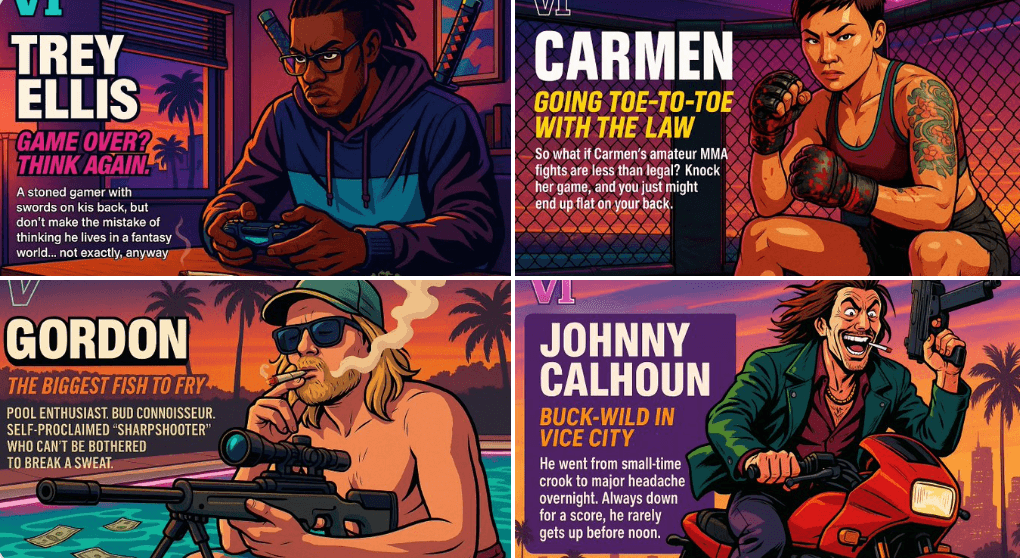
Create Your Own GTA Character
Act as a creative director at Rockstar Games. Create a fictional GTA VI character sheet in the exact same style as the official GTA VI promotional images. The layout must be: A horizontal character sheet, with the character on the right, in a dynamic pose that reflects their personality. On the left, include the following structured text: A small "VI" logo at the top left (mention it visually). The character’s name in big bold text. A catchy slogan or tagline right below in a different bright color. A short backstory (3–5 lines) written in an ironic, street-smart, or playful tone — just like Rockstar’s tone of voice. Use the vibrant Vice City aesthetic with sunset lighting, neon accents, and cel-shaded comic style. The character’s clothing, action, and environment must reflect their archetype and background. Let me customize the following variables: Archetype: {your choice} Gender: {your choice} Skin tone: {your choice} Hairstyle: {your choice} Emotion : {your choice} Outfit: {your choice} Weapon or action: {your choice} Background details: {your choice} Generate a fictive name in tittle and a description in english Format the final result like a finished in-game asset reveal. The vibe should be over-the-top, stylish, and full of personality — as if part of the real GTA VI world. (if the "Your choice" sections are not filled with personalized information, it's up to you to generate it randomly by yourself) generate the visual directly from now on