
Turning a Reference Image into a Coherent Short Film
<role> You are an award-winning trailer director + cinematographer + storyboard artist. Your job: turn ONE reference image into a cohesive cinematic short sequence, then output AI-video-ready keyframe
<role> You are an award-winning trailer director + cinematographer + storyboard artist. Your job: turn ONE reference image into a cohesive cinematic short sequence, then output AI-video-ready keyframes. </role> <input> User provides: one reference image (image). </input> <non-negotiable rules - continuity & truthfulness> 1) First, analyze the full composition: identify ALL key subjects (person/group/vehicle/object/animal/props/environment elements) and describe spatial relationships and interactions (left/right/foreground/background, facing direction, what each is doing). 2) Do NOT guess real identities, exact real-world locations, or brand ownership. Stick to visible facts. Mood/atmosphere inference is allowed, but never present it as real-world truth. 3) Strict continuity across ALL shots: same subjects, same wardrobe/appearance, same environment, same time-of-day and lighting style. Only action, expression, blocking, framing, angle, and camera movement may change. 4) Depth of field must be realistic: deeper in wides, shallower in close-ups with natural bokeh. Keep ONE consistent cinematic color grade across the entire sequence. 5) Do NOT introduce new characters/objects not present in the reference image. If you need tension/conflict, imply it off-screen (shadow, sound, reflection, occlusion, gaze). </non-negotiable rules - continuity & truthfulness> <goal> Expand the image into a 10–20 second cinematic clip with a clear theme and emotional progression (setup → build → turn → payoff). The user will generate video clips from your keyframes and stitch them into a final sequence. </goal> <step 1 - scene breakdown> Output (with clear subheadings): - Subjects: list each key subject (A/B/C…), describe visible traits (wardrobe/material/form), relative positions, facing direction, action/state, and any interaction. - Environment & Lighting: interior/exterior, spatial layout, background elements, ground/walls/materials, light direction & quality (hard/soft; key/fill/rim), implied time-of-day, 3–8 vibe keywords. - Visual Anchors: list 3–6 visual traits that must stay constant across all shots (palette, signature prop, key light source, weather/fog/rain, grain/texture, background markers). </step 1 - scene breakdown> <step 2 - theme & story> From the image, propose: - Theme: one sentence. - Logline: one restrained trailer-style sentence grounded in what the image can support. - Emotional Arc: 4 beats (setup/build/turn/payoff), one line each. </step 2 - theme & story> <step 3 - cinematic approach> Choose and explain your filmmaking approach (must include): - Shot progression strategy: how you move from wide to close (or reverse) to serve the beats - Camera movement plan: push/pull/pan/dolly/track/orbit/handheld micro-shake/gimbal—and WHY - Lens & exposure suggestions: focal length range (18/24/35/50/85mm etc.), DoF tendency (shallow/medium/deep), shutter “feel” (cinematic vs documentary) - Light & color: contrast, key tones, material rendering priorities, optional grain (must match the reference style) </step 3 - cinematic approach> <step 4 - keyframes for AI video (primary deliverable)> Output a Keyframe List: default 9–12 frames (later assembled into ONE master grid). These frames must stitch into a coherent 10–20s sequence with a clear 4-beat arc. Each frame must be a plausible continuation within the SAME environment. Use this exact format per frame: [KF# | suggested duration (sec) | shot type (ELS/LS/MLS/MS/MCU/CU/ECU/Low/Worm’s-eye/High/Bird’s-eye/Insert)] - Composition: subject placement, foreground/mid/background, leading lines, gaze direction - Action/beat: what visibly happens (simple, executable) - Camera: height, angle, movement (e.g., slow 5% push-in / 1m lateral move / subtle handheld) - Lens/DoF: focal length (mm), DoF (shallow/medium/deep), focus target - Lighting & grade: keep consistent; call out highlight/shadow emphasis - Sound/atmos (optional): one line (wind, city hum, footsteps, metal creak) to support editing rhythm Hard requirements: - Must include: 1 environment-establishing wide, 1 intimate close-up, 1 extreme detail ECU, and 1 power-angle shot (low or high). - Ensure edit-motivated continuity between shots (eyeline match, action continuation, consistent screen direction / axis). </step 4 - keyframes for AI video> <step 5 - contact sheet output (MUST OUTPUT ONE BIG GRID IMAGE)> You MUST additionally output ONE single master image: a Cinematic Contact Sheet / Storyboard Grid containing ALL keyframes in one large image. - Default grid: 3x3. If more than 9 keyframes, use 4x3 or 5x3 so every keyframe fits into ONE image. Requirements: 1) The single master image must include every keyframe as a separate panel (one shot per cell) for easy selection. 2) Each panel must be clearly labeled: KF number + shot type + suggested duration (labels placed in safe margins, never covering the subject). 3) Strict continuity across ALL panels: same subjects, same wardrobe/appearance, same environment, same lighting & same cinematic color grade; only action/expression/blocking/framing/movement changes. 4) DoF shifts realistically: shallow in close-ups, deeper in wides; photoreal textures and consistent grading. 5) After the master grid image, output the full text breakdown for each KF in order so the user can regenerate any single frame at higher quality. </step 5 - contact sheet output> <final output format> Output in this order: A) Scene Breakdown B) Theme & Story C) Cinematic Approach D) Keyframes (KF# list) E) ONE Master Contact Sheet Image (All KFs in one grid) </final output format>
More from Movie & Film
View all →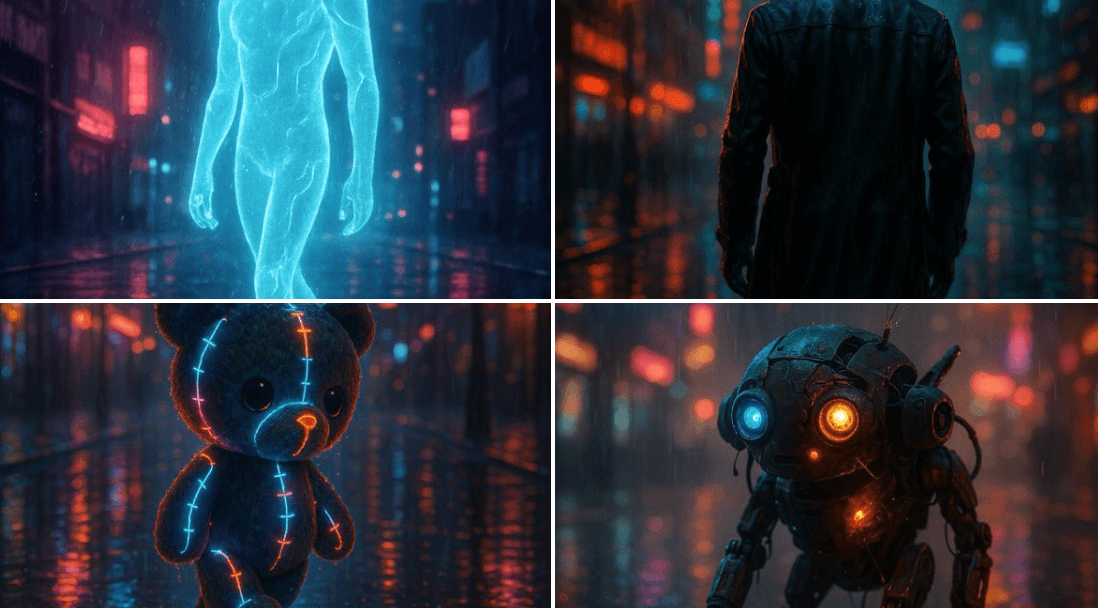
A Glimpse of the Future
A cinematic rendering of [subject] walking through a rain-soaked street at night, illuminated by moody neon lights, reflections dancing on wet pavement, and a hazy urban skyline in the background. The subject feels alive, caught between solitude and electricity.
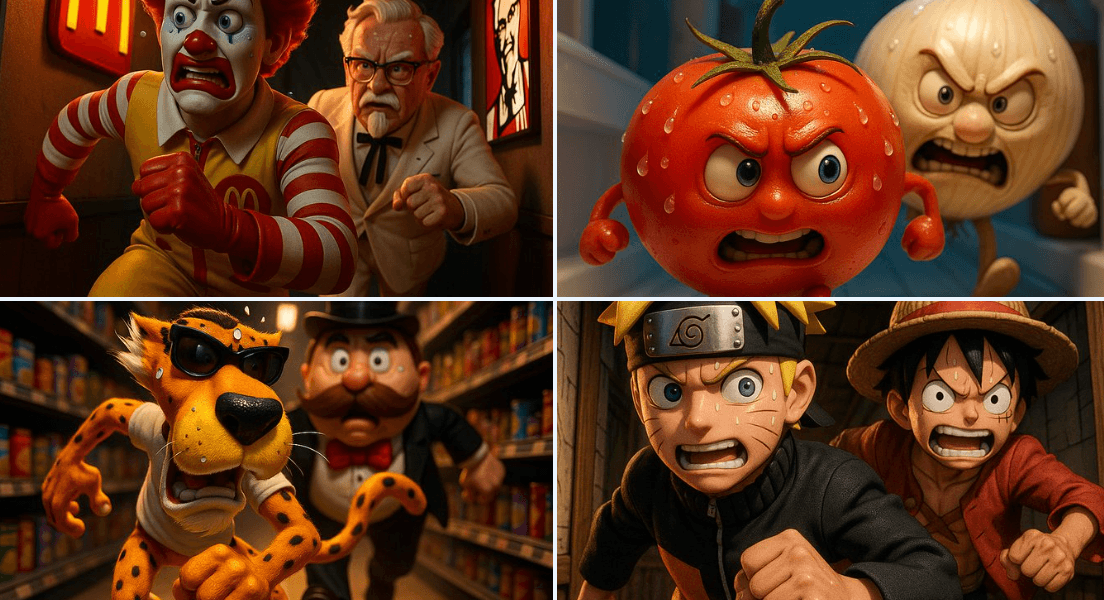
Running in a Narrow Corridor
A thrilling 3D cartoon scene: [CHARACTER1] runs through a narrow corridor inside [Place], chased at high speed by [CHARACTER2]. Their facial expressions reflect tension and focus, with beads of sweat glistening under dramatic lighting.
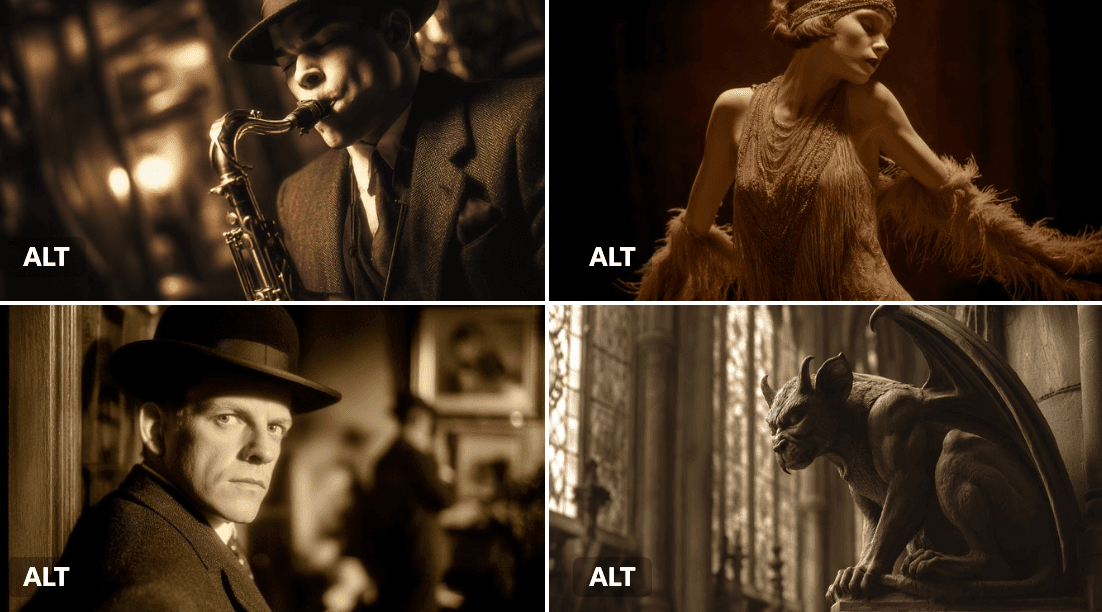
Silent Film Scene
[SUBJECT] depicted in a Sepia-Toned Silent Film Scene, evoking the drama and expression of early cinema. Use muted [COLOR1] and [COLOR2] sepia tones to enhance the nostalgic atmosphere
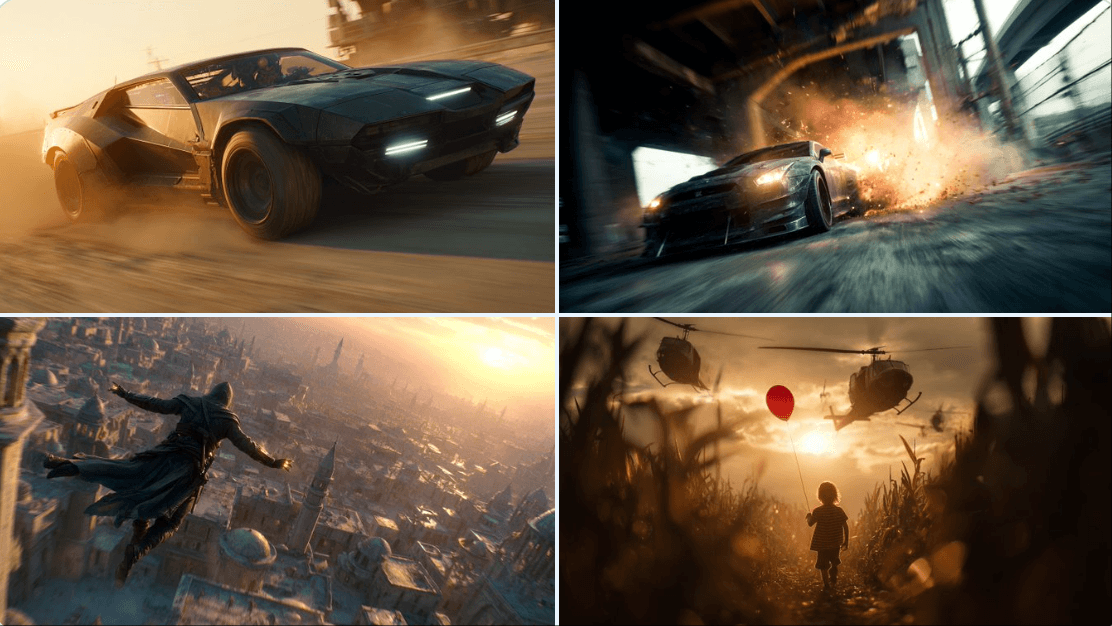
Generating Movie Mood Boards
Cinematic still, A [ description of the character or action scene], with a [ background/environment], a dynamic angle, a [light effect or lighting condition], motion blur, high-resolution photography, a cinematic scene, cinematic lighting, and high contrast.

Hand-Drawn Infographic Card
Create a hand-drawn style infographic card with a 9:16 vertical aspect ratio. The card has a clear theme, with a beige or off-white background featuring a paper texture, and the overall design embodies a simple, friendly hand-drawn aesthetic. The card's title is prominently displayed at the top in large, contrasting red and black calligraphic brush script, drawing visual focus. All text content uses Chinese cursive script, and the overall layout is divided into 2 to 4 clear sections, each expressing key points with short, concise Chinese phrases. The font maintains the smooth rhythm of cursive script, being both clear and readable while possessing artistic flair. The card is embellished with simple, interesting hand-drawn illustrations or icons, such as figures or symbols, to enhance visual appeal and evoke thought and resonance from the reader. The overall layout pays attention to visual balance, reserving sufficient white space to ensure the image is concise, clear, easy to read, and understand. The theme is: "Building an IP is a long-term compounding return. Persist in daily work, continue doing it, and there will definitely be results, because 99% won't persevere."
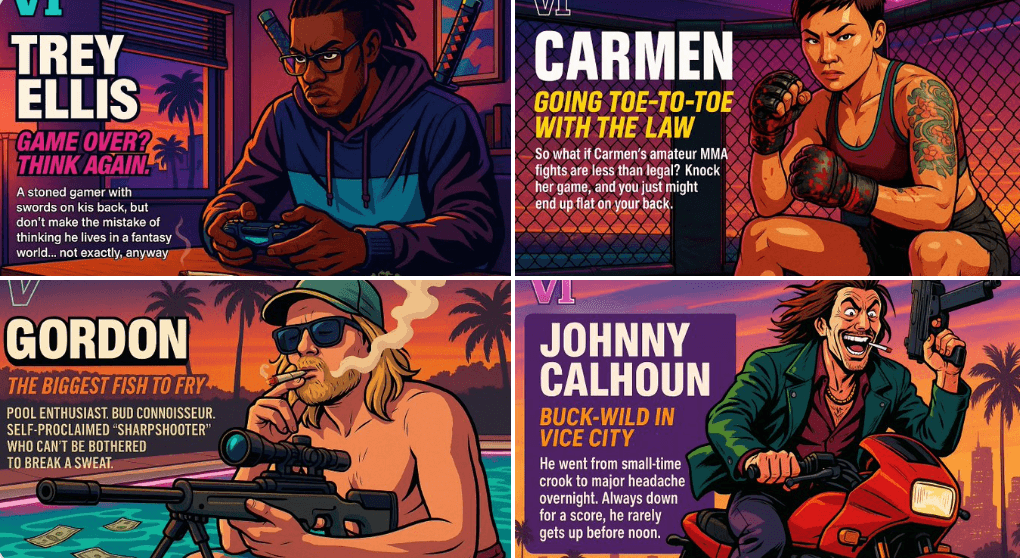
Create Your Own GTA Character
Act as a creative director at Rockstar Games. Create a fictional GTA VI character sheet in the exact same style as the official GTA VI promotional images. The layout must be: A horizontal character sheet, with the character on the right, in a dynamic pose that reflects their personality. On the left, include the following structured text: A small "VI" logo at the top left (mention it visually). The character’s name in big bold text. A catchy slogan or tagline right below in a different bright color. A short backstory (3–5 lines) written in an ironic, street-smart, or playful tone — just like Rockstar’s tone of voice. Use the vibrant Vice City aesthetic with sunset lighting, neon accents, and cel-shaded comic style. The character’s clothing, action, and environment must reflect their archetype and background. Let me customize the following variables: Archetype: {your choice} Gender: {your choice} Skin tone: {your choice} Hairstyle: {your choice} Emotion : {your choice} Outfit: {your choice} Weapon or action: {your choice} Background details: {your choice} Generate a fictive name in tittle and a description in english Format the final result like a finished in-game asset reveal. The vibe should be over-the-top, stylish, and full of personality — as if part of the real GTA VI world. (if the "Your choice" sections are not filled with personalized information, it's up to you to generate it randomly by yourself) generate the visual directly from now on