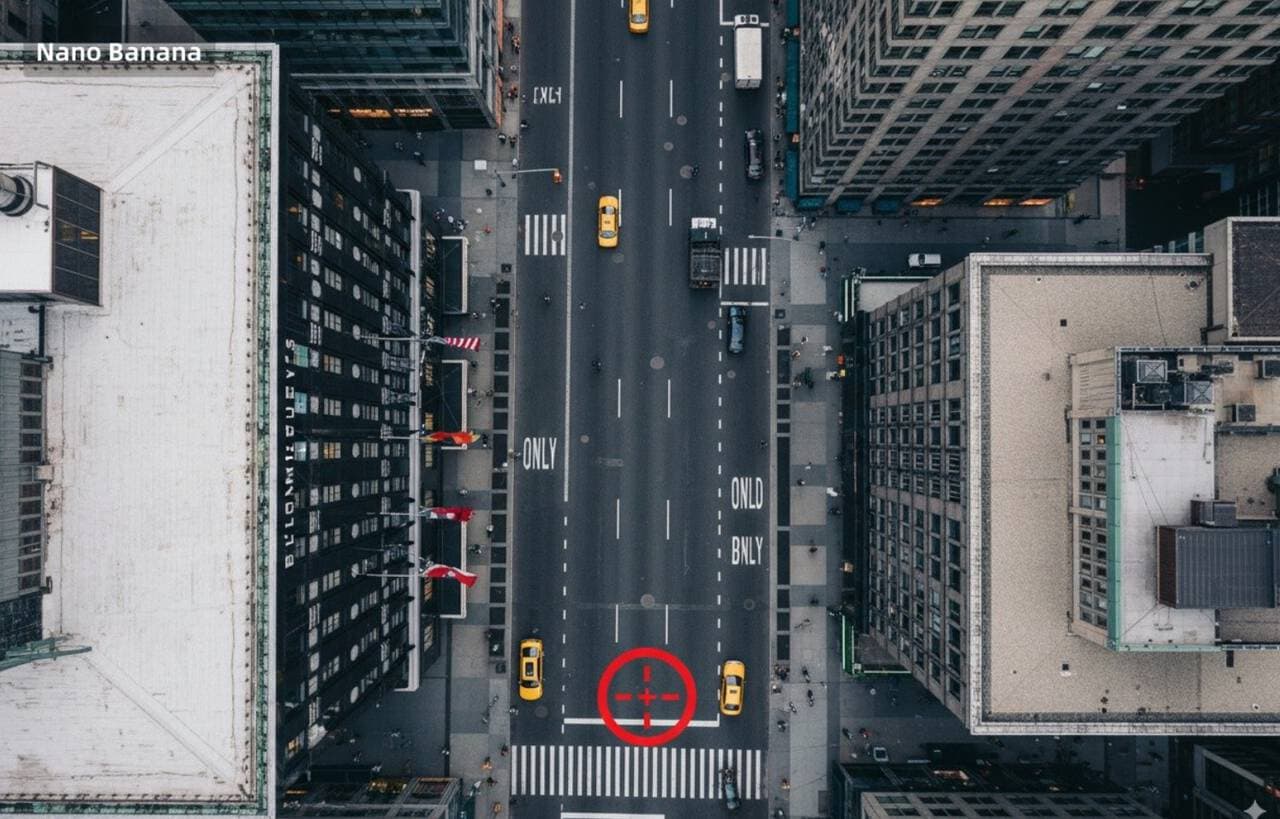
Cross-Perspective Image Generation
Convert from ground-level view to aerial perspective and mark original shooting position
More from View Transform
View all →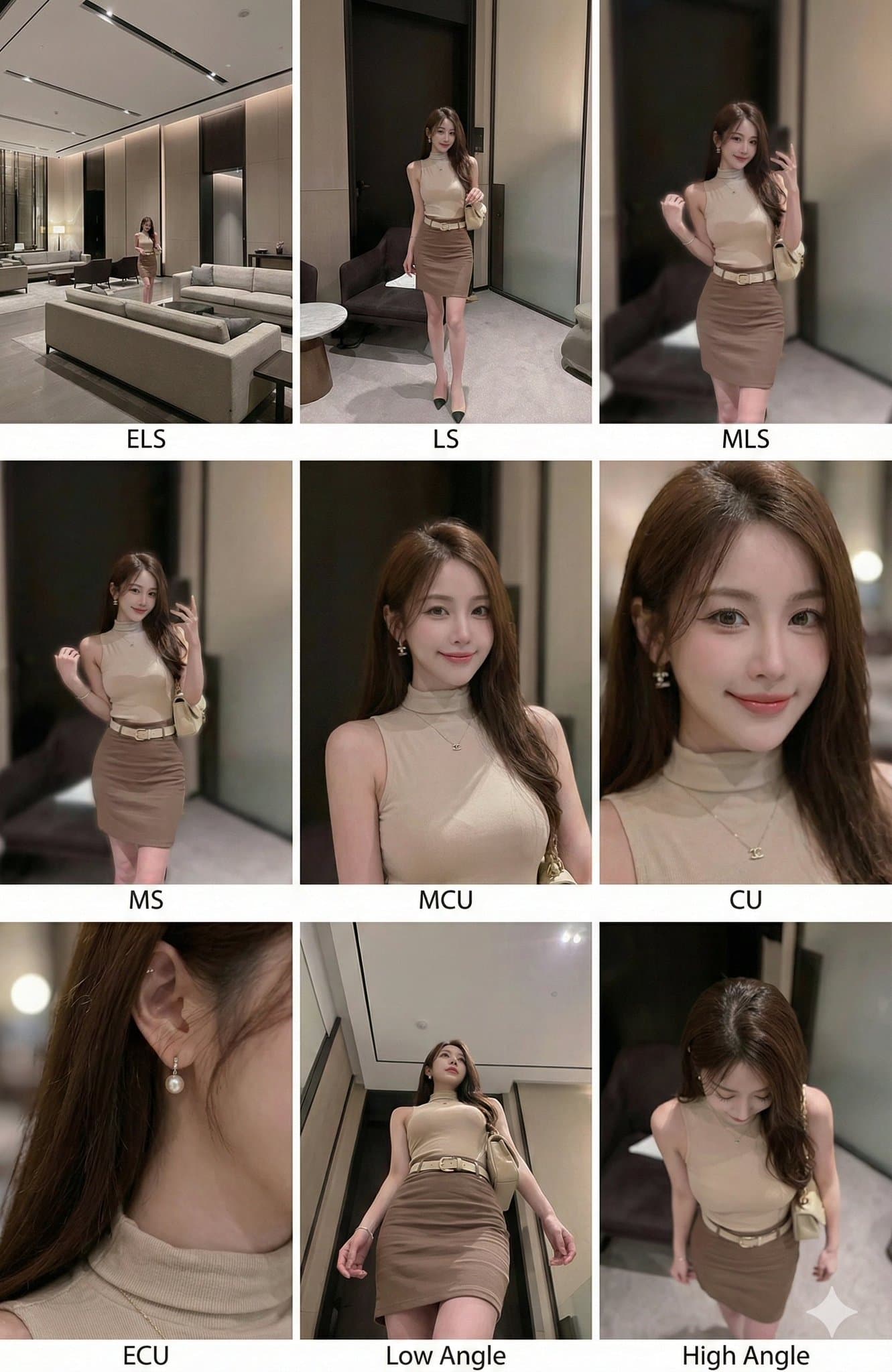
One image generates 9 different shots
<instruction> (Instruction) Analyze the entire composition of the input image. Identify all key subjects present (whether a single person, group/couple, vehicle, or specific object) and their spatial relationships/interactions. Generate a coherent 3x3 grid "Contact Sheet" showcasing 9 different shots of *exactly these subjects* in the *same environment*. You *must* adapt standard cinematic shot types to fit the content (e.g., if it's a group, keep the group together; if it's an object, frame to include the entire object): Row 1 (Establishing Background): Extreme Long Shot (ELS): Subject appears small within a vast environment. Long Shot (LS): Full subject or group visible from top to bottom (head to toe / wheels to roof). Medium Long Shot (American Shot/Three-Quarter): Frame from knees up (for people) or 3/4 view (for objects). Row 2 (Core Coverage): 4. Medium Shot (MS): Frame from waist up (or the central core of an object). Focus on interaction/action. 5. Medium Close-Up (MCU): Frame from chest up. Intimate framing of the main subject. 6. Close-Up (CU): Tight framing on the face or the "front" of an object. Row 3 (Details & Angles): 7. Extreme Close-Up (ECU): Intense focus on macro details of key features (eyes, hands, logos, textures). 8. Low Angle Shot (Worm's-Eye View): Looking up at the subject from ground level (imposing/heroic feel). 9. High Angle Shot (Bird's-Eye View): Looking down at the subject from above. Ensure strict consistency: Same people/objects, same clothing, and same lighting across all 9 panels. Depth of field should realistically vary (bokeh in close-up shots). </instruction> A professional 3x3 cinematic storyboard grid containing 9 panels. The grid showcases the specific subject/scene from the input image with a comprehensive range of focal lengths. Top row: Wide establishing shot, full view, 3/4 crop (knees-up). Middle row: Waist-up view, chest-up view, face/front close-up. Bottom row: Macro detail, low angle, high angle. All frames feature photorealistic textures, consistent cinematic color grading, and correct composition for the specific number of subjects or objects analyzed.

A Myopic View
ultra hugging close-up view of with edges of glasses with the lenses almost touching the viewer's perspective, filling most of the view. The glasses reveal a detailed [VIEW] within the lenses, showcasing [VIEW] .The background is out of focus , enhancing the impression that the viewer is peering into the [VIEW]
Satirical Comic Generation
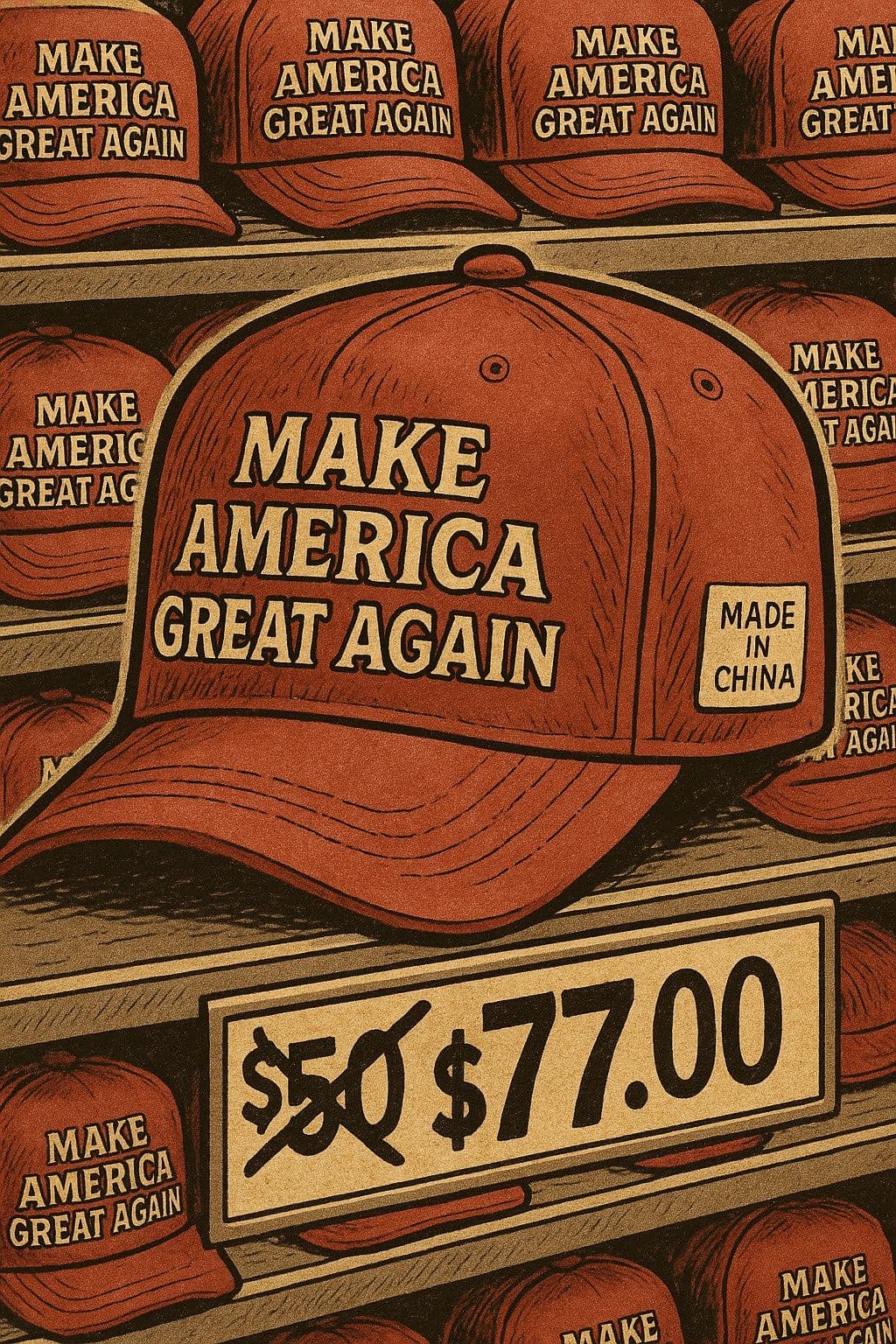
A satirical comic style illustration using vintage American comic style, background showing multi-level shelves filled with identical red baseball caps. The caps have large slogan 'MAKE AMERICA GREAT AGAIN' printed on front, with white labels on side reading 'MADE IN CHINA'. Close-up perspective focuses on one red baseball cap. Bottom of image shows price tag with original price '$50.00' crossed out with thick black X, changed to '$77.00', color tone is nostalgic earth yellow and dark red, shadow treatment has 90s vintage printing texture. Overall composition style is exaggerated and satirical, carrying satirical meaning about political consumerism.
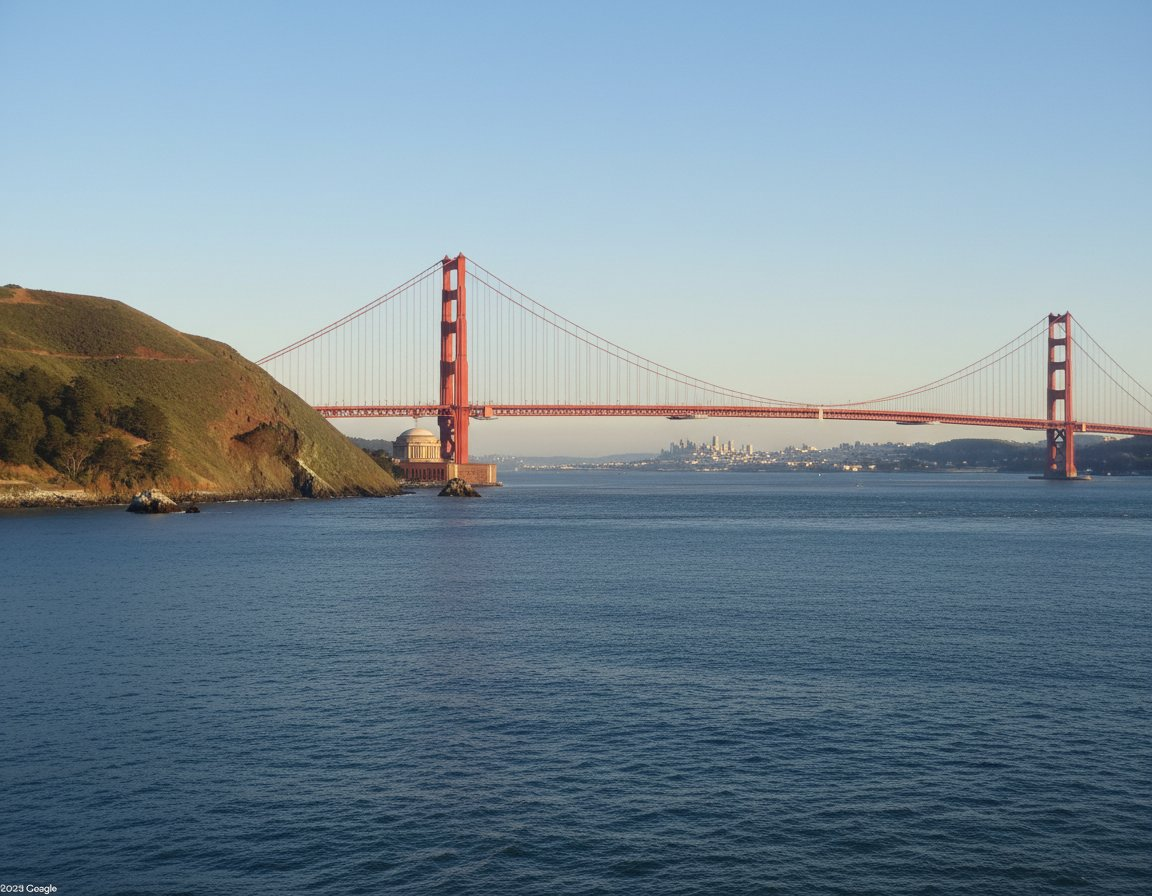
Generate Ground-Level View from Map Arrow
Draw what the red arrow sees / Draw the real-world view from the red circle along the arrow direction

Hand-Drawn Infographic Card
Create a hand-drawn style infographic card with a 9:16 vertical aspect ratio. The card has a clear theme, with a beige or off-white background featuring a paper texture, and the overall design embodies a simple, friendly hand-drawn aesthetic. The card's title is prominently displayed at the top in large, contrasting red and black calligraphic brush script, drawing visual focus. All text content uses Chinese cursive script, and the overall layout is divided into 2 to 4 clear sections, each expressing key points with short, concise Chinese phrases. The font maintains the smooth rhythm of cursive script, being both clear and readable while possessing artistic flair. The card is embellished with simple, interesting hand-drawn illustrations or icons, such as figures or symbols, to enhance visual appeal and evoke thought and resonance from the reader. The overall layout pays attention to visual balance, reserving sufficient white space to ensure the image is concise, clear, easy to read, and understand. The theme is: "Building an IP is a long-term compounding return. Persist in daily work, continue doing it, and there will definitely be results, because 99% won't persevere."
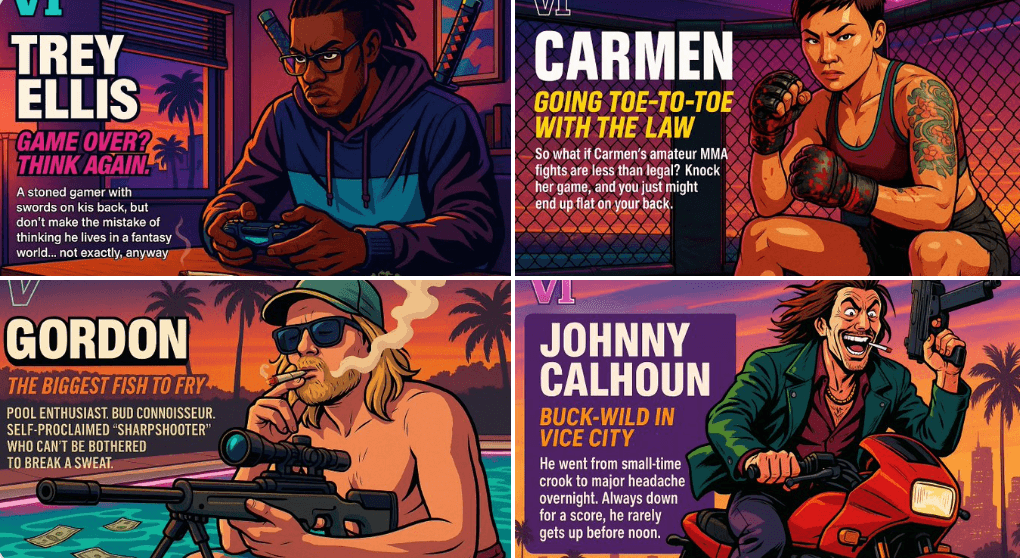
Create Your Own GTA Character
Act as a creative director at Rockstar Games. Create a fictional GTA VI character sheet in the exact same style as the official GTA VI promotional images. The layout must be: A horizontal character sheet, with the character on the right, in a dynamic pose that reflects their personality. On the left, include the following structured text: A small "VI" logo at the top left (mention it visually). The character’s name in big bold text. A catchy slogan or tagline right below in a different bright color. A short backstory (3–5 lines) written in an ironic, street-smart, or playful tone — just like Rockstar’s tone of voice. Use the vibrant Vice City aesthetic with sunset lighting, neon accents, and cel-shaded comic style. The character’s clothing, action, and environment must reflect their archetype and background. Let me customize the following variables: Archetype: {your choice} Gender: {your choice} Skin tone: {your choice} Hairstyle: {your choice} Emotion : {your choice} Outfit: {your choice} Weapon or action: {your choice} Background details: {your choice} Generate a fictive name in tittle and a description in english Format the final result like a finished in-game asset reveal. The vibe should be over-the-top, stylish, and full of personality — as if part of the real GTA VI world. (if the "Your choice" sections are not filled with personalized information, it's up to you to generate it randomly by yourself) generate the visual directly from now on