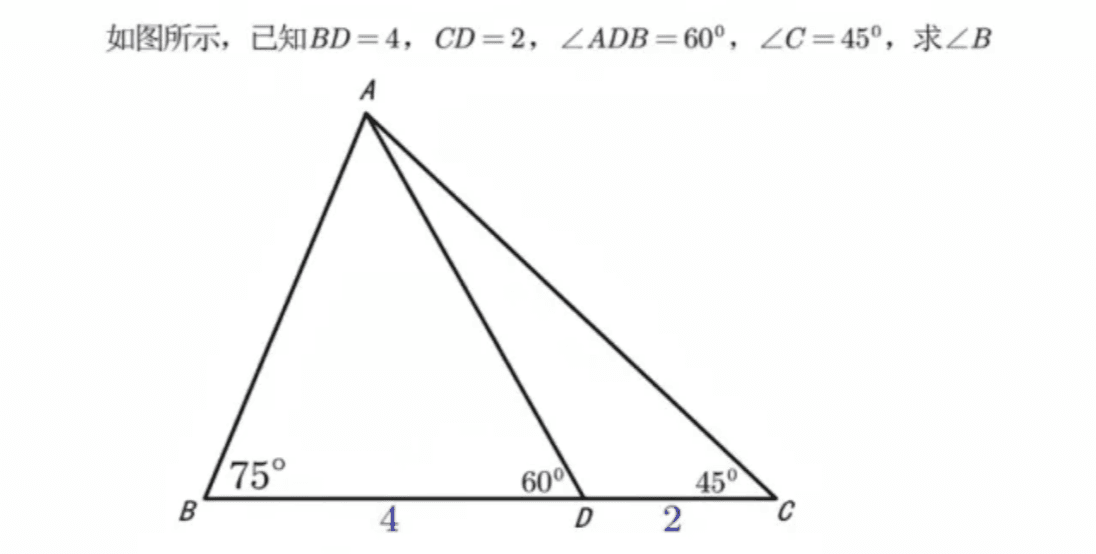
Math Problem Reasoning
Intelligently solve math problems and annotate answers on the original image
Write the answer to the question in the corresponding position according to the problem
More from Education
View all →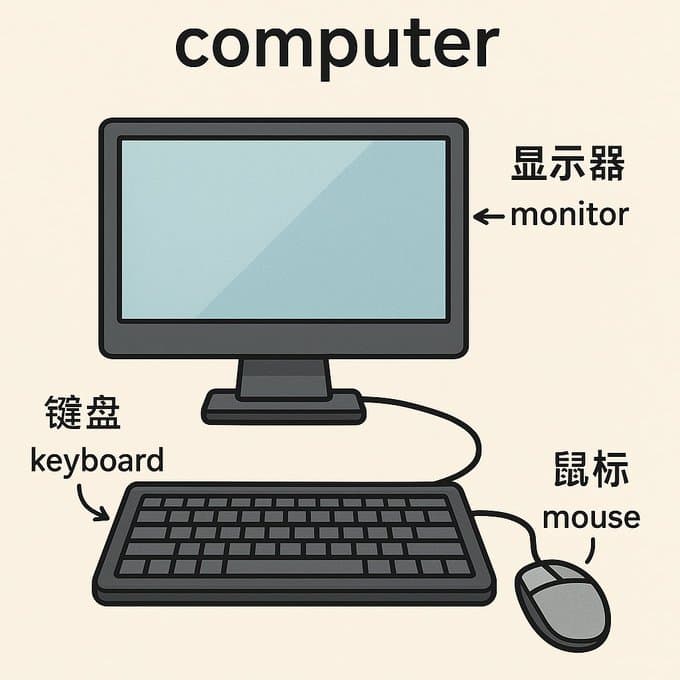
English Vocabulary Flashcard Creation
You are an English word flashcard creation master. You can generate an image based on the theme word I input and expand upon it. For example, if I input 'computer', you would generate a computer-related image and use arrows to introduce components like 'keyboard', 'mouse', and 'monitor', detailing them step-by-step in both Chinese and English.
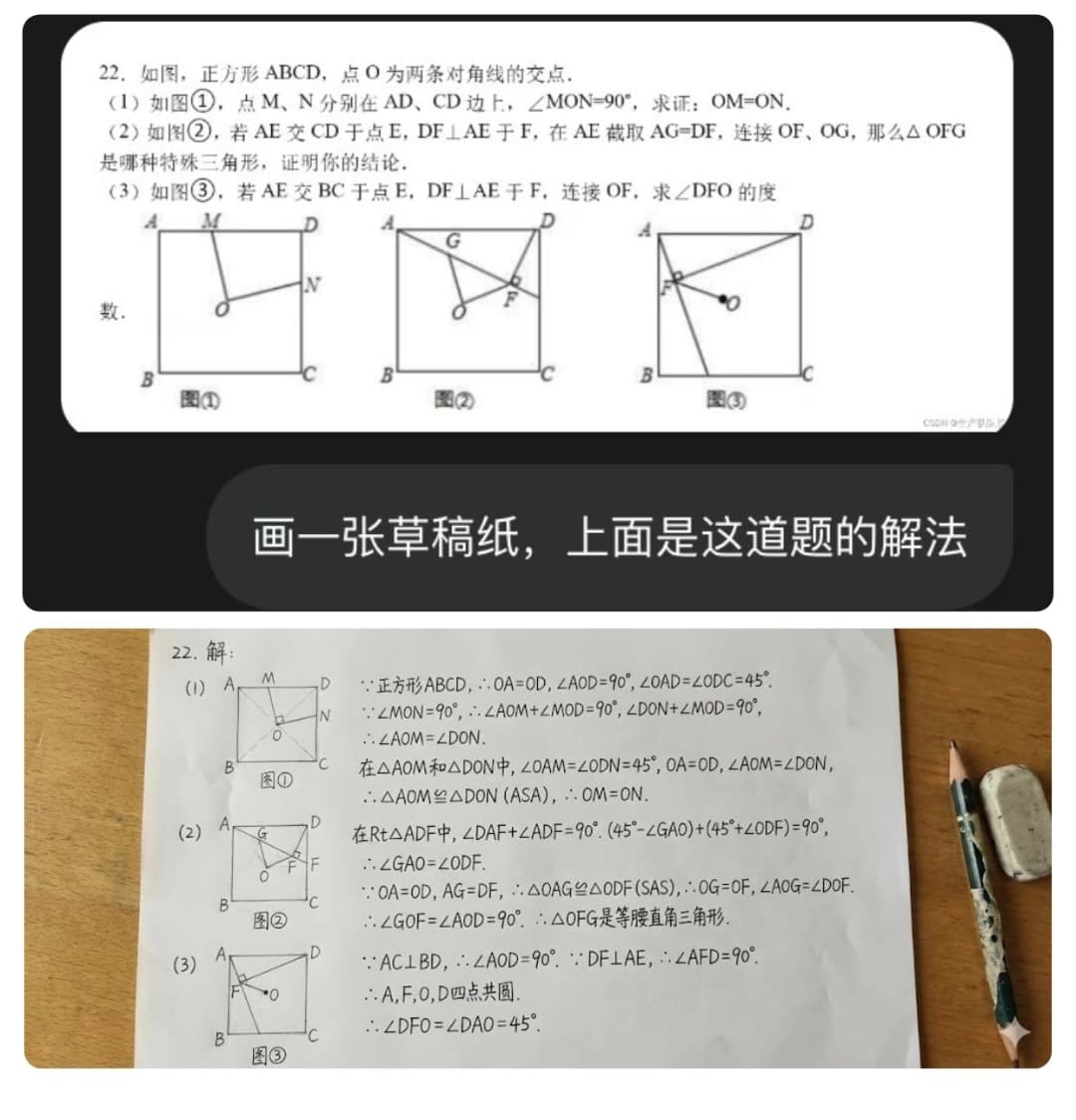
Solving Math Problems
Draw a scratchpad with the solution to this problem on it.
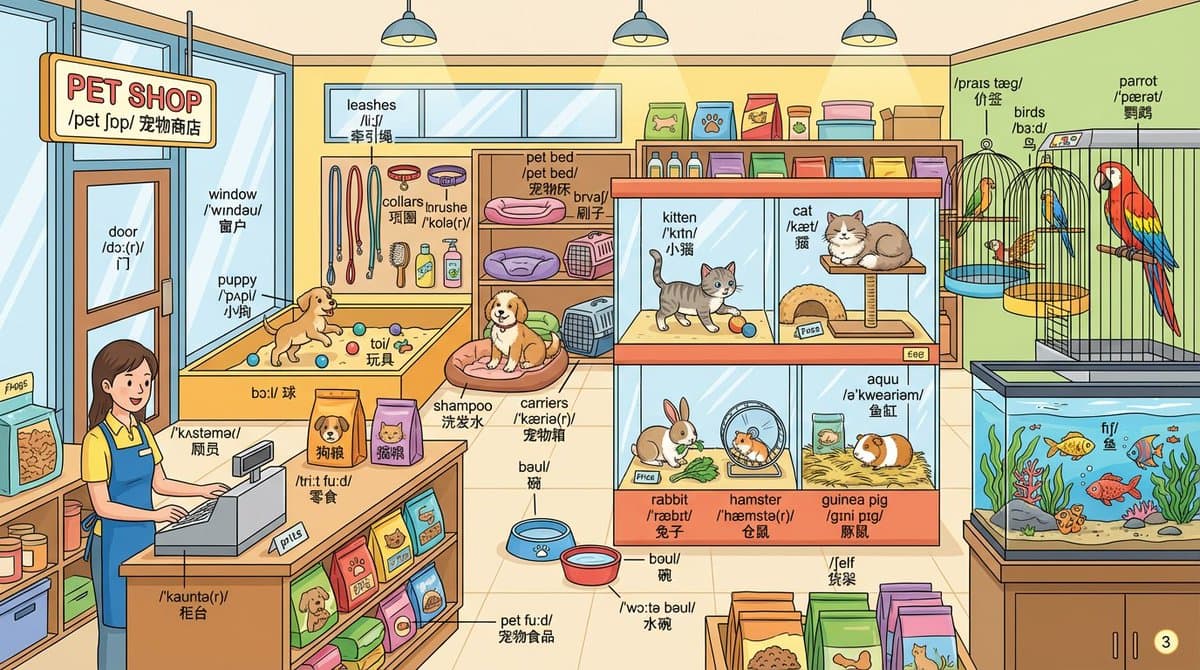
Learning English with Memory Palace
Draw for me a detailed {{pet shop}} scene and label all objects with their English words. Label format: First line: English word Second line: Phonetic transcription (IPA format) Third line: Chinese translation
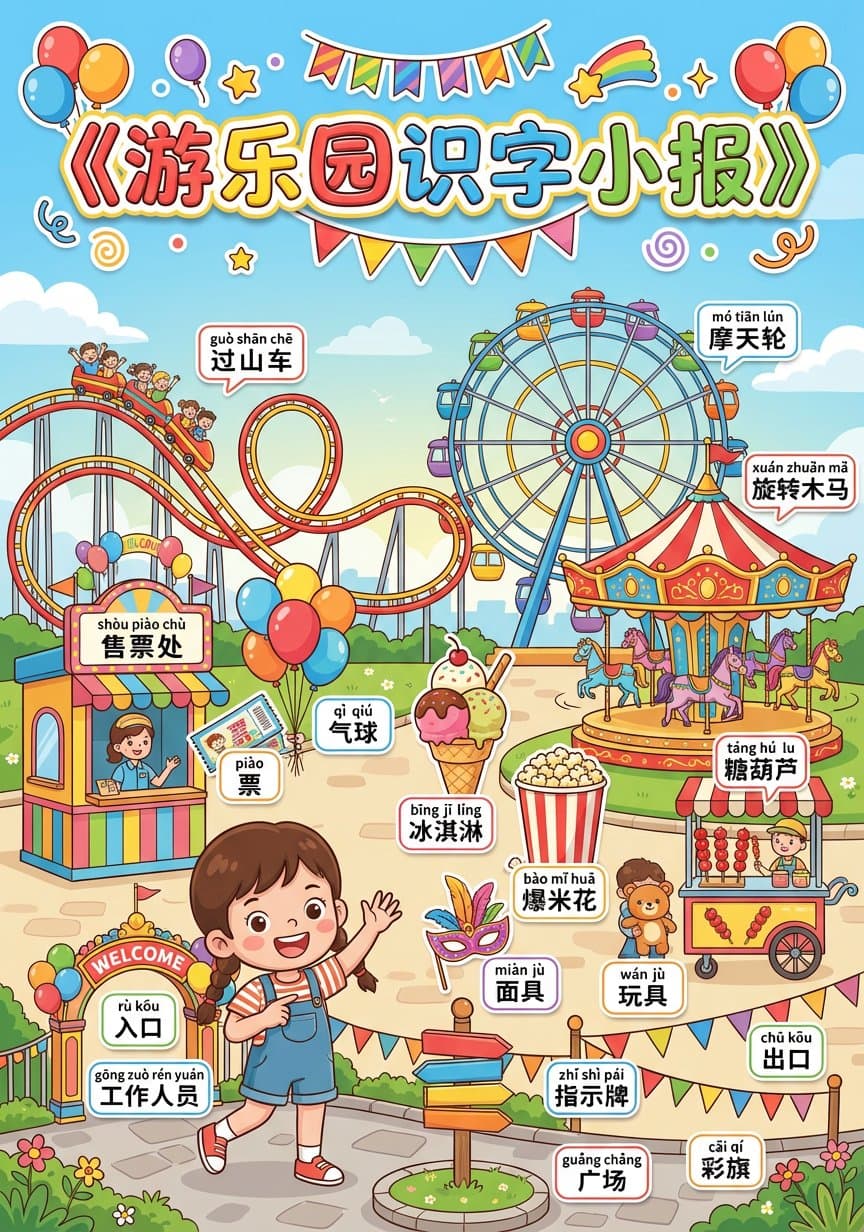
Literacy Newspaper Meta Prompt
Please generate a children's literacy tabloid "Amusement Park", vertical format A4, learning tabloid format, suitable for children aged 5-9 years old to read words and recognize objects by looking at pictures. 1. Tabloid title area (top) Centered headline at the top: "Amusement Park Literacy Tabloid" Style: cross tabloid / children's learning report Text requirements: large characters, eye-catching, cartoon handwriting, colorful strokes Decoration: add sticker-style decorations related to amusement parks around, bright colors 2. Main body of the tabloid (middle main screen) The center of the screen is a cartoon illustration-style "amusement park" scene: Overall atmosphere: bright, warm, positive Composition: The boundaries of objects are clear, easy to correspond to text, and not too crowded. Scene partition and core content Core area A (main object): expresses the core activities of the amusement park (children playing on the rides). Core area B (supporting facilities): displays related tools or items (ticket sales, snacks, instruction facilities). Core area C (environmental background): reflects environmental features (entrance, street signs, colorful flags, green space, etc.). Theme characters: 1 cute cartoon character (identity: amusement park staff/tourists and children). Action: Natural interaction related to the scene (such as smiling and giving directions, waving to welcome, playing with children). 3. Required Drawing Objects and Literacy List (Generated Content) Please be sure to clearly draw the following objects in the picture and reserve space for labeling them: 1. Core roles and facilities: gōng zuò rén yuán staff shòu piào chù ticket office guò shān chē roller coaster mó tiān lún Ferris wheel xuán zhuǎn mǎ carousel 2. Common items/tools: piào ticket qì qiú balloon bīng jī líng ice cream bào mǐ huā popcorn táng hú lu candied haws miàn jù mask wán jù toy xiǎo qí zi small flag 3. Environment and decoration: rù kǒu entrance chū kǒu exit zhǐ shì pái signboard cǎi qí colorful flag guǎng chǎng square (Note: The number of objects in the picture is not limited to this, but the above list must be used as the key depiction object; a total of 18 typical nouns, suitable for children aged 5–9 to read.) 4. Literacy labeling rules Label the objects in the above list with Chinese literacy labels: Format: two-line system (the first line has pinyin with tones, the second line has simplified Chinese characters). Style: Colorful small sticker style, with black or dark text on a white background, clear and readable. Layout: The label is close to the corresponding object and does not block the main body. 5. Painting style parameters Style: children’s picture book style + literacy tabloid style Color: High Saturation, Warm Tone Quality: 8k resolution, high detail, vector illustration style, clean lines.
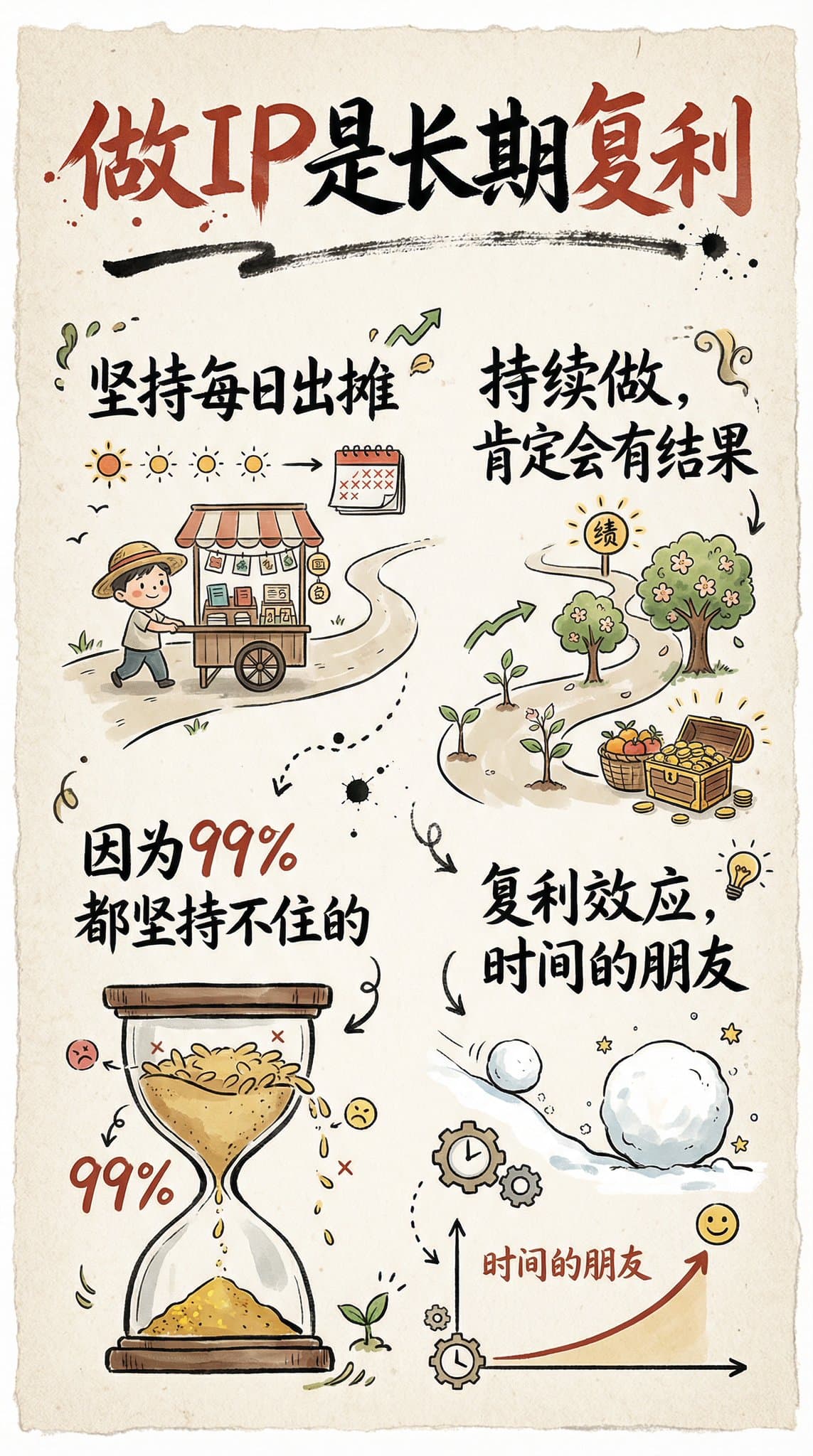
Hand-Drawn Infographic Card
Create a hand-drawn style infographic card with a 9:16 vertical aspect ratio. The card has a clear theme, with a beige or off-white background featuring a paper texture, and the overall design embodies a simple, friendly hand-drawn aesthetic. The card's title is prominently displayed at the top in large, contrasting red and black calligraphic brush script, drawing visual focus. All text content uses Chinese cursive script, and the overall layout is divided into 2 to 4 clear sections, each expressing key points with short, concise Chinese phrases. The font maintains the smooth rhythm of cursive script, being both clear and readable while possessing artistic flair. The card is embellished with simple, interesting hand-drawn illustrations or icons, such as figures or symbols, to enhance visual appeal and evoke thought and resonance from the reader. The overall layout pays attention to visual balance, reserving sufficient white space to ensure the image is concise, clear, easy to read, and understand. The theme is: "Building an IP is a long-term compounding return. Persist in daily work, continue doing it, and there will definitely be results, because 99% won't persevere."
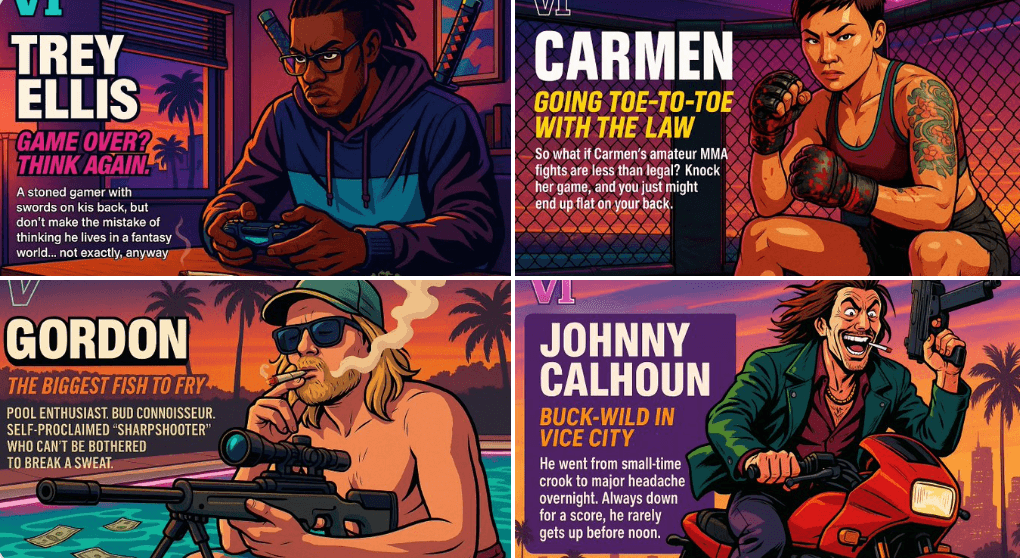
Create Your Own GTA Character
Act as a creative director at Rockstar Games. Create a fictional GTA VI character sheet in the exact same style as the official GTA VI promotional images. The layout must be: A horizontal character sheet, with the character on the right, in a dynamic pose that reflects their personality. On the left, include the following structured text: A small "VI" logo at the top left (mention it visually). The character’s name in big bold text. A catchy slogan or tagline right below in a different bright color. A short backstory (3–5 lines) written in an ironic, street-smart, or playful tone — just like Rockstar’s tone of voice. Use the vibrant Vice City aesthetic with sunset lighting, neon accents, and cel-shaded comic style. The character’s clothing, action, and environment must reflect their archetype and background. Let me customize the following variables: Archetype: {your choice} Gender: {your choice} Skin tone: {your choice} Hairstyle: {your choice} Emotion : {your choice} Outfit: {your choice} Weapon or action: {your choice} Background details: {your choice} Generate a fictive name in tittle and a description in english Format the final result like a finished in-game asset reveal. The vibe should be over-the-top, stylish, and full of personality — as if part of the real GTA VI world. (if the "Your choice" sections are not filled with personalized information, it's up to you to generate it randomly by yourself) generate the visual directly from now on