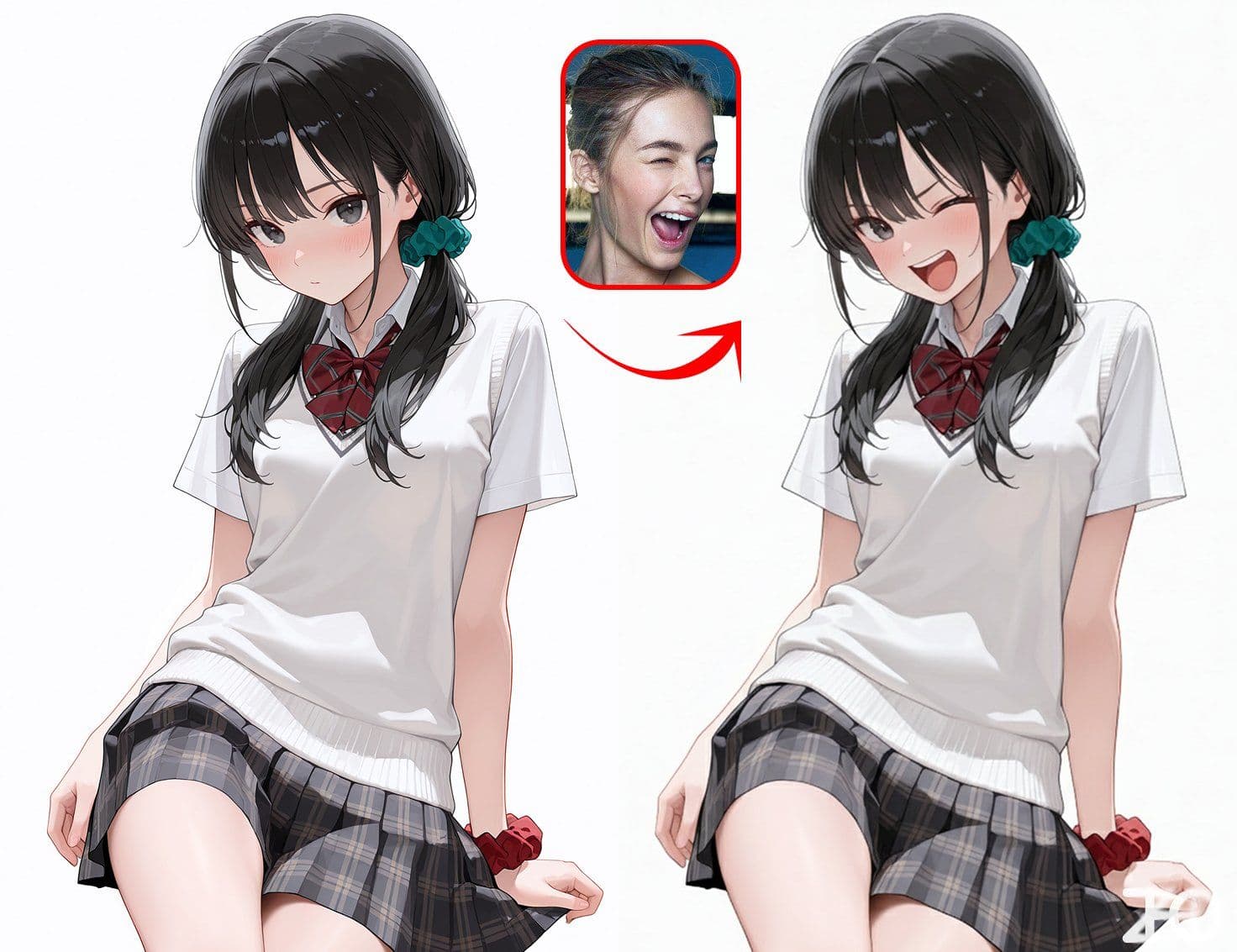
Reference Image Controls Character Expression
Replace one character's expression with another reference image's expression
More from Pose Control
View all →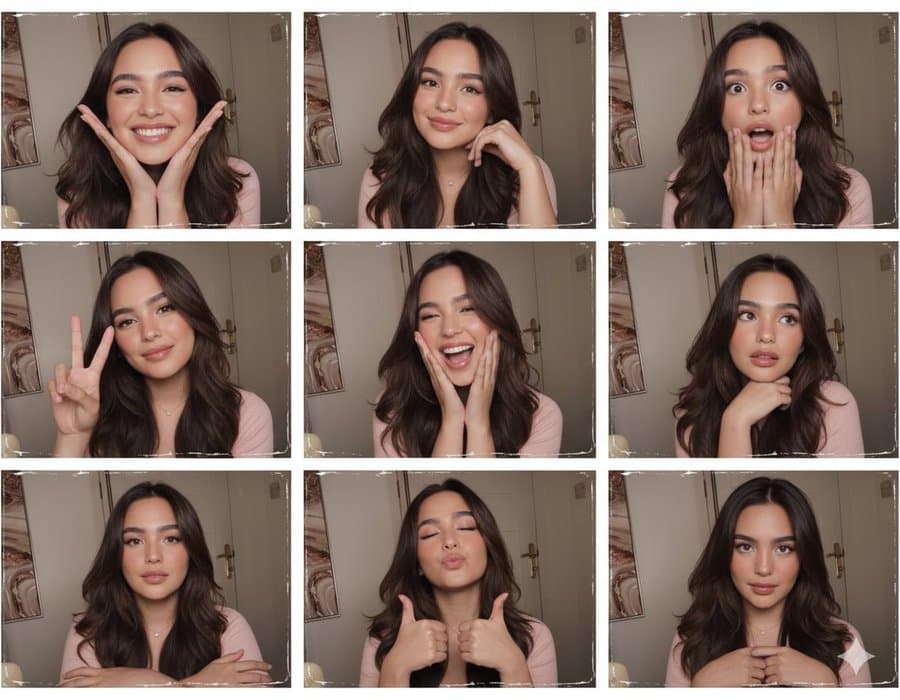
Making Photo Booth Stickers
Using this photo, create a 3x3 photo booth grid. Each frame must feature different poses and expressions, with no repetitions.

Generating Images from Fixed Reference Poses
{"reference_image": "image_0.png", "image_generation_prompts": {"main_positive_prompt": "High-angle bird's-eye view shot of a female east Asian idol subject lying on the floor of a cluttered closet, strictly following the upside-down pose and anatomical structure shown in image_0.png. She is wearing a rich blue lace-overlay mini dress with a milkmaid bodice, sweetheart neckline, cap sleeves, and a lettuce hem. She wears heavy, knee-high red leather boots with a vertical front seam. Visible tattoos include a barbed wire band on the thigh and stick-and-poke heart and key motifs on the chest. The floor is covered in piles of mixed textiles, tulle, and clothing. The background walls are painted yellow, featuring white wire shelving, semi-transparent plastic storage drawers, and a packed clothing rack. Lighting is overhead tungsten, creating a warm sepia, vintage 90s disposable camera filter look. The mood is exhaustive, messy, and romantically grunge.", "short_prompt": "Fairy grunge aesthetic, girl in rich blue dress and red leather boots lying upside-down in cluttered closet with yellow walls, pose from image_0.png, sepia tone, high angle shot.", "negative_prompt": "minimalism, clean floor, bright daylight, cold lighting, organized, empty space, modern furniture, neon colors, hd digital look, glossy finish, wide angle, fisheye, distorted limbs, missing tattoos, incorrect pose."}, "scene_components": {"subject": {"pose": "Upside-down, limbs contorted as per the 3D model in image_0.png.", "expression": "Detached, tired, or 'rotting' aesthetic.", "distinctive_features": ["Barbed wire thigh tattoo (90s grunge style)", "Small stick-and-poke chest tattoos (heart and key)"]}, "wardrobe_details": {"dress": {"color": "Rich blue", "fabric": "Sheer floral lace mesh over opaque lining", "cut": "Mini length, milkmaid peasant bodice, off-the-shoulder cap sleeves", "details": "Ruffled lettuce hem, lingerie-inspired"}, "footwear": {"style": "Vintage knee-high riding boots", "material": "Red leather", "vibe": "Rugged, utilitarian, 70s/90s construction"}}, "environment_details": {"setting": "Walk-in closet or bedroom corner", "wall_color": "Yellow", "flooring": "Completely obscured by layers of clothing (The 'Floordrobe')", "furniture": ["White wire shelving unit", "Stack of semi-transparent plastic drawers", "Wrought iron decorative rack with scrollwork", "White plastic laundry basket with circular cutouts"], "clutter_textures": ["Layers of tulle", "Black fabric with white polka dots", "Heavy grey knit material", "Densely packed hanging clothes"]}}, "technical_parameters": {"camera_angle": "High-angle / Bird's-eye view", "lighting_setup": "Direct overhead source (ceiling light)", "shadows": "Downward casting, flattening the subject slightly", "color_grading": {"primary_tones": ["Sepia", "Cream", "Off-white", "Rich blue", "Red", "Yellow"], "filter_style": "Warm vintage, tungsten indoor lighting, low contrast"}}}
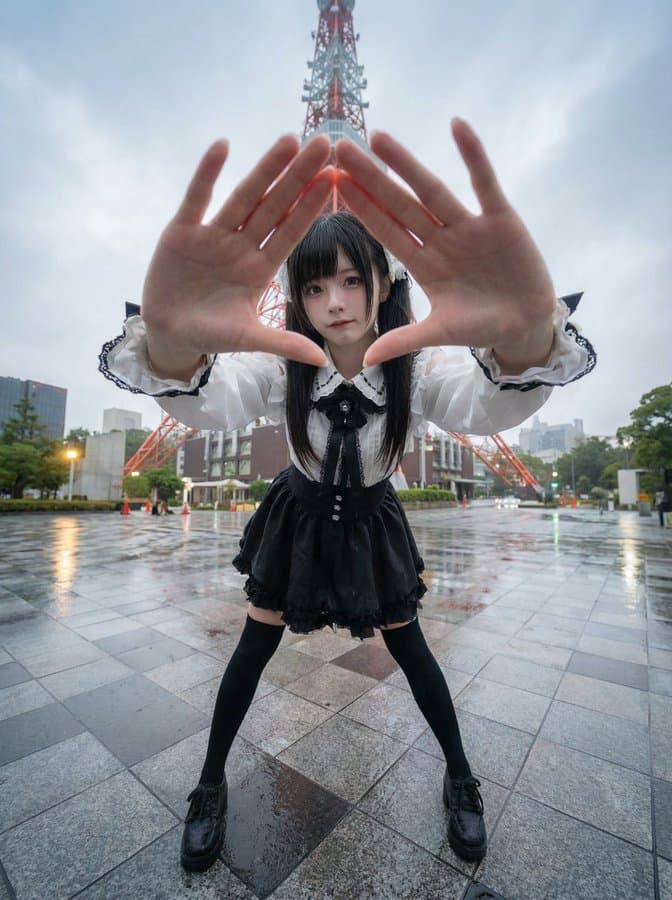
Generating Nine-Panel Grids of Character Poses
Generate images at the 'Tokyo Tower' location, based on the local current time atmosphere and real-time weather. Please have the specified character explore the location, integrating them into the scene.
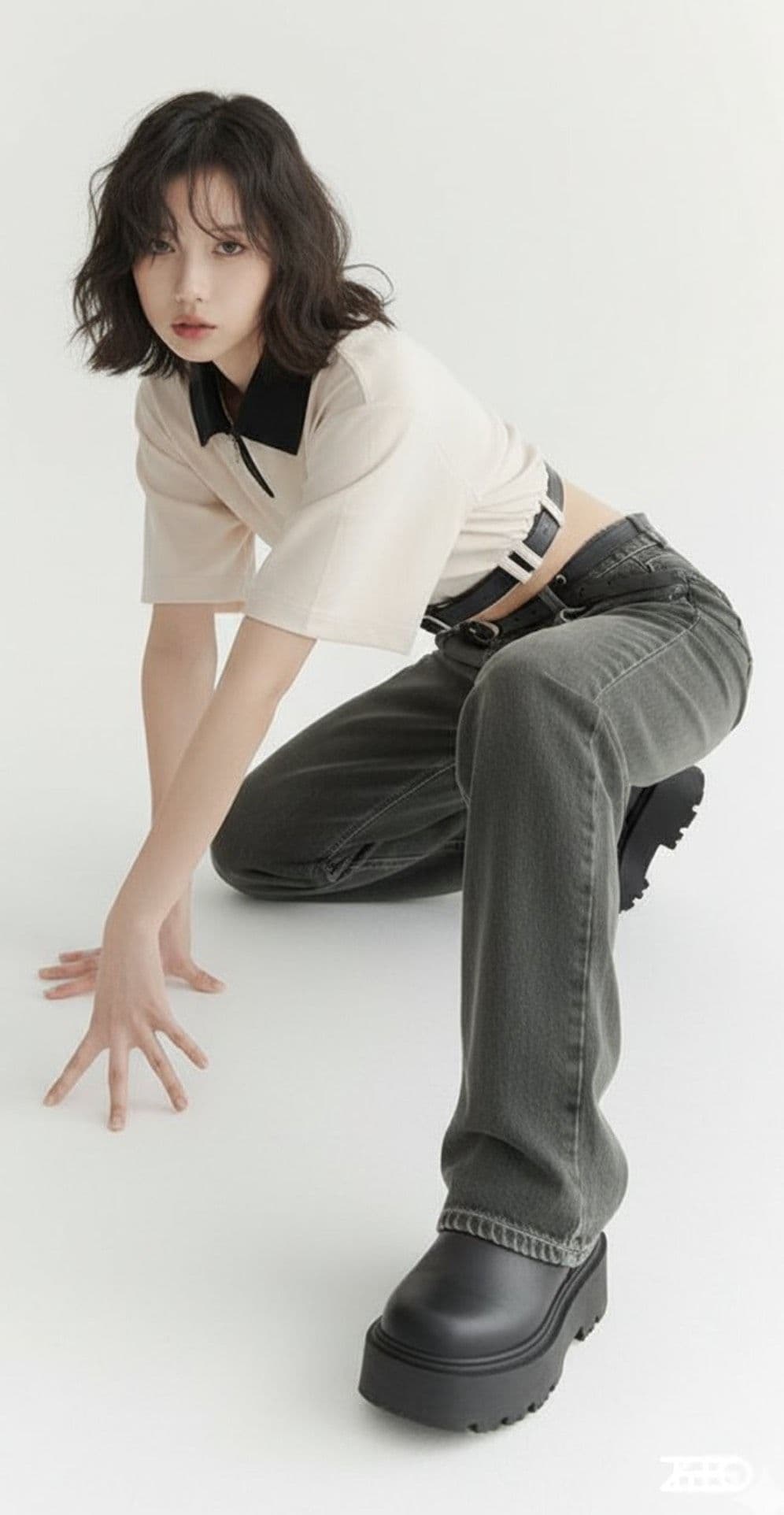
Line Art to Image Generation
Replace the person in image 1 with the pose from image 2, professional studio photography
Hand-Drawn Infographic Card
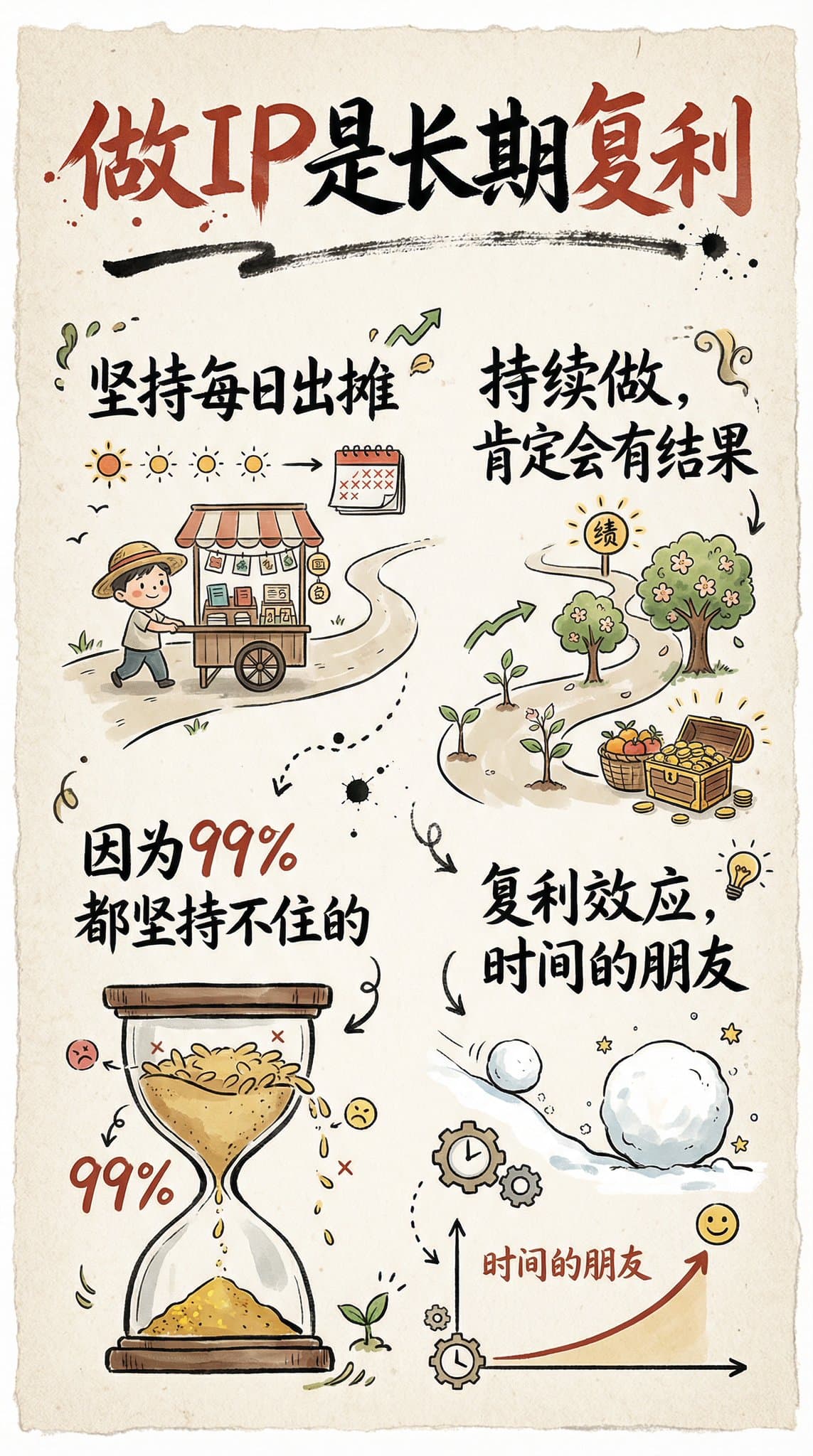
Create a hand-drawn style infographic card with a 9:16 vertical aspect ratio. The card has a clear theme, with a beige or off-white background featuring a paper texture, and the overall design embodies a simple, friendly hand-drawn aesthetic. The card's title is prominently displayed at the top in large, contrasting red and black calligraphic brush script, drawing visual focus. All text content uses Chinese cursive script, and the overall layout is divided into 2 to 4 clear sections, each expressing key points with short, concise Chinese phrases. The font maintains the smooth rhythm of cursive script, being both clear and readable while possessing artistic flair. The card is embellished with simple, interesting hand-drawn illustrations or icons, such as figures or symbols, to enhance visual appeal and evoke thought and resonance from the reader. The overall layout pays attention to visual balance, reserving sufficient white space to ensure the image is concise, clear, easy to read, and understand. The theme is: "Building an IP is a long-term compounding return. Persist in daily work, continue doing it, and there will definitely be results, because 99% won't persevere."
Create Your Own GTA Character
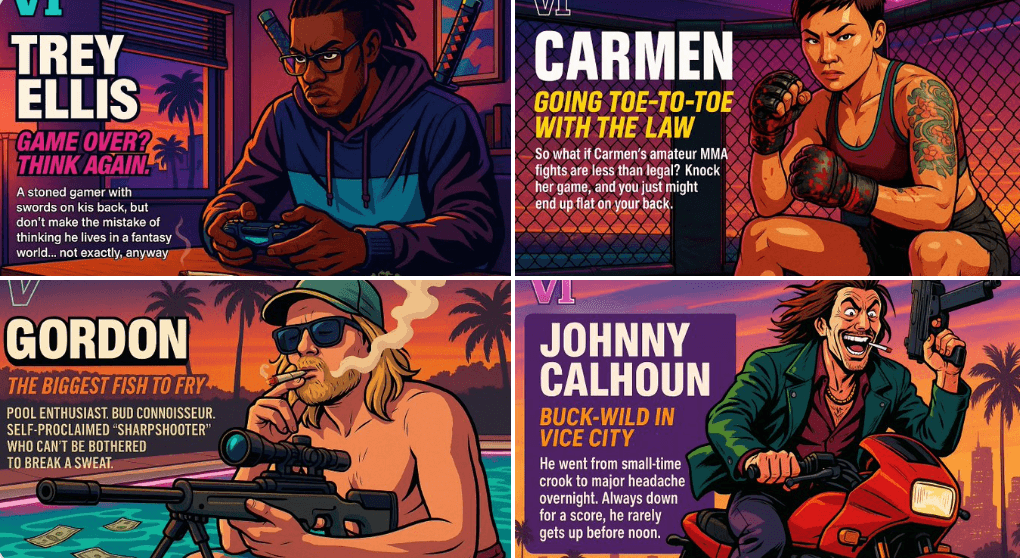
Act as a creative director at Rockstar Games. Create a fictional GTA VI character sheet in the exact same style as the official GTA VI promotional images. The layout must be: A horizontal character sheet, with the character on the right, in a dynamic pose that reflects their personality. On the left, include the following structured text: A small "VI" logo at the top left (mention it visually). The character’s name in big bold text. A catchy slogan or tagline right below in a different bright color. A short backstory (3–5 lines) written in an ironic, street-smart, or playful tone — just like Rockstar’s tone of voice. Use the vibrant Vice City aesthetic with sunset lighting, neon accents, and cel-shaded comic style. The character’s clothing, action, and environment must reflect their archetype and background. Let me customize the following variables: Archetype: {your choice} Gender: {your choice} Skin tone: {your choice} Hairstyle: {your choice} Emotion : {your choice} Outfit: {your choice} Weapon or action: {your choice} Background details: {your choice} Generate a fictive name in tittle and a description in english Format the final result like a finished in-game asset reveal. The vibe should be over-the-top, stylish, and full of personality — as if part of the real GTA VI world. (if the "Your choice" sections are not filled with personalized information, it's up to you to generate it randomly by yourself) generate the visual directly from now on